
How to Connect Group Collector with Mailchimp
If you want your Facebook group members to move into your Mailchimp email list automatically, you need to integrate Group Collector with Mailchimp. The process is straightforward: you only need two things: a Mailchimp API Key and an Audience ID.
Make sure that you have Group Created in Group Collector.
Follow the steps below;
Step 1: Log in to Mailchimp and Create Your API Key
- Log in to your Mailchimp account.
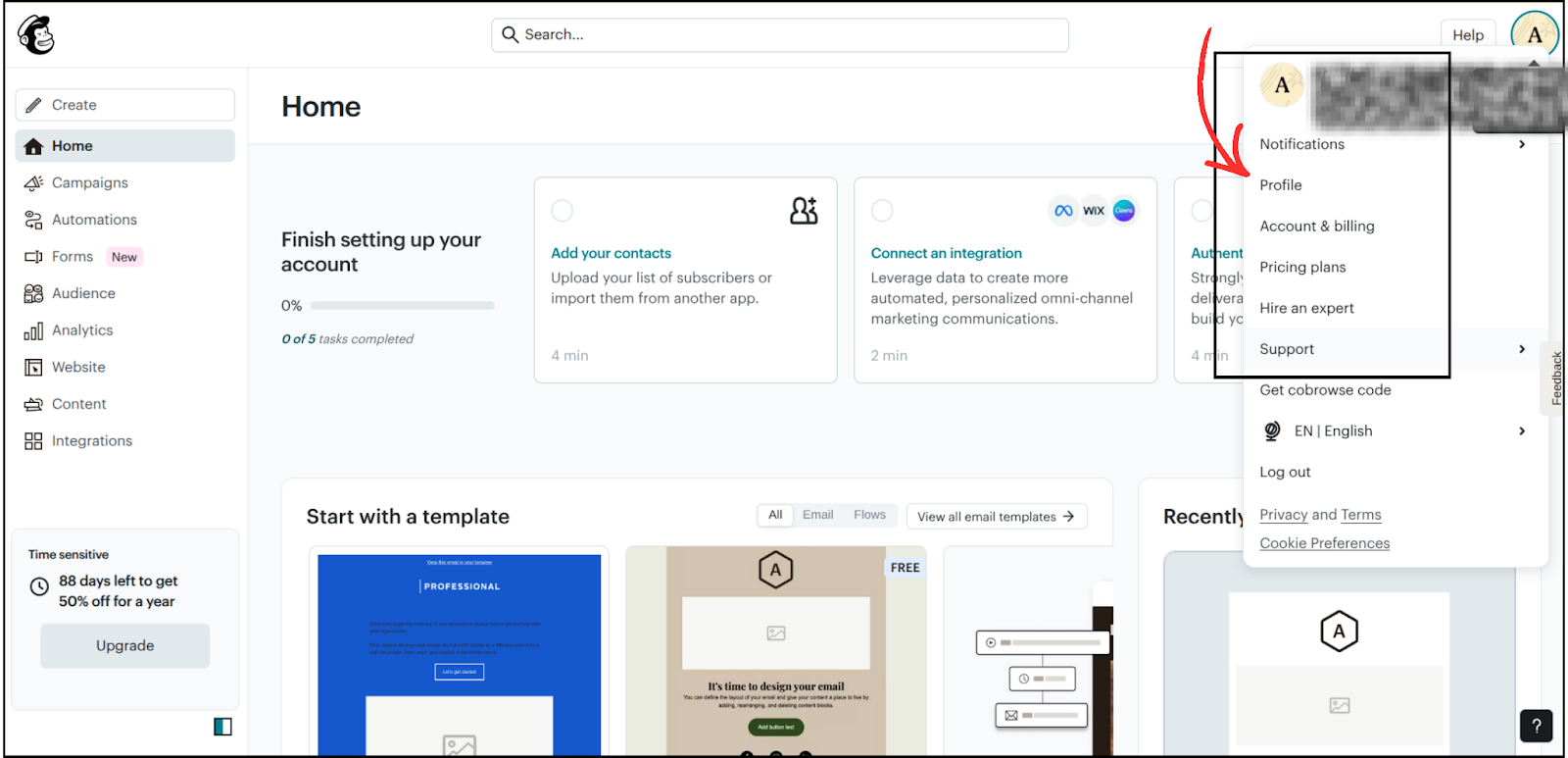
- Click on the Profile Icon at the top right corner.
-
Under the panel, click on Profile.
- You'll see options: Overview → Settings → Billing →Domain → Extras.
- Click on Extras, and the API Key section will appear in the panel.

Name the key whatever you like
- Copy the newly created API Key.
- Save it in Notepad, you'll need it later.


Your API Key is the most essential part of the integration.
Step 2: Get Your Mailchimp Audience ID
-
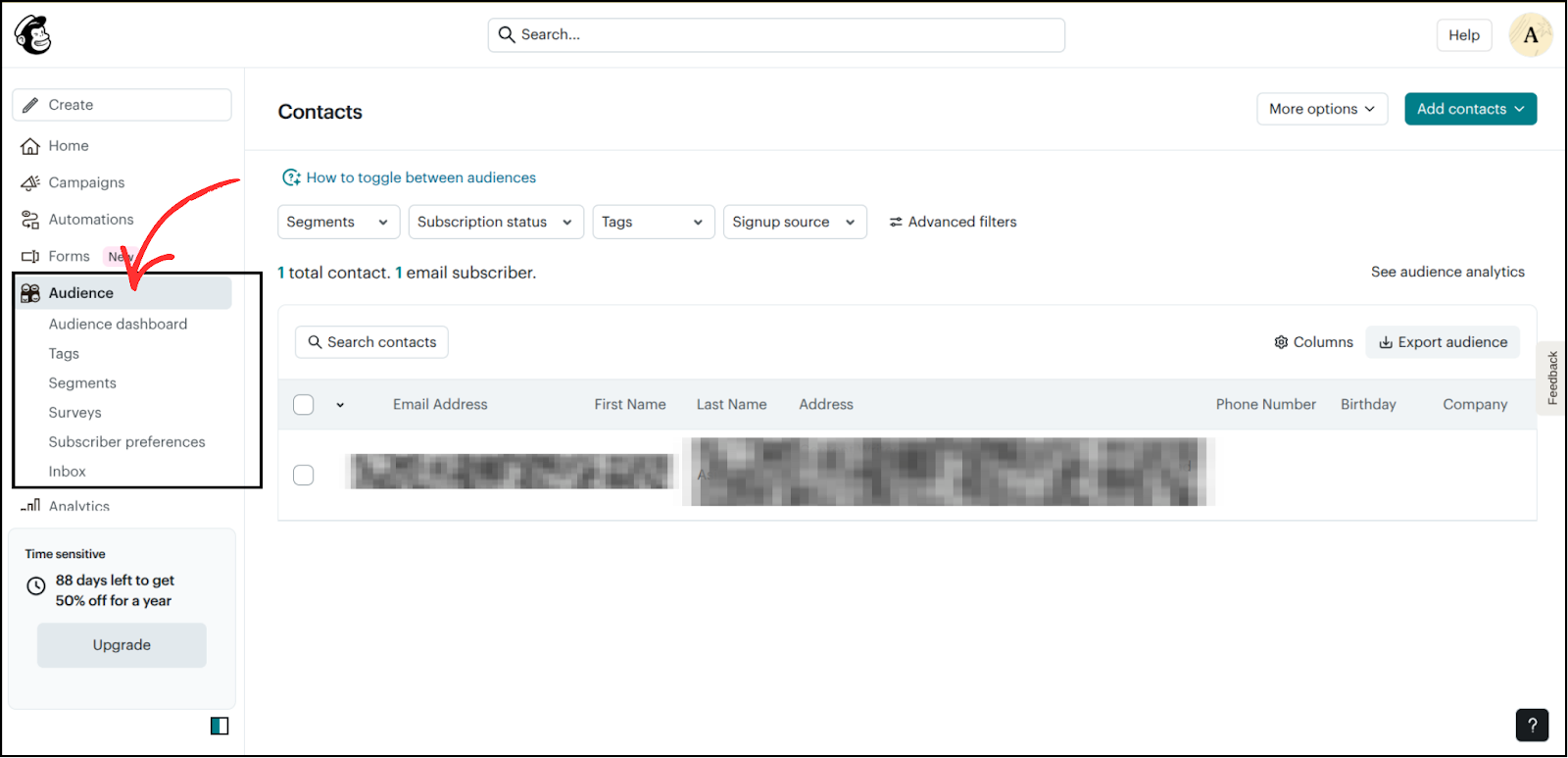
On the left panel, click on Audience.
-
On the right, click More Options, then select Audience Settings.
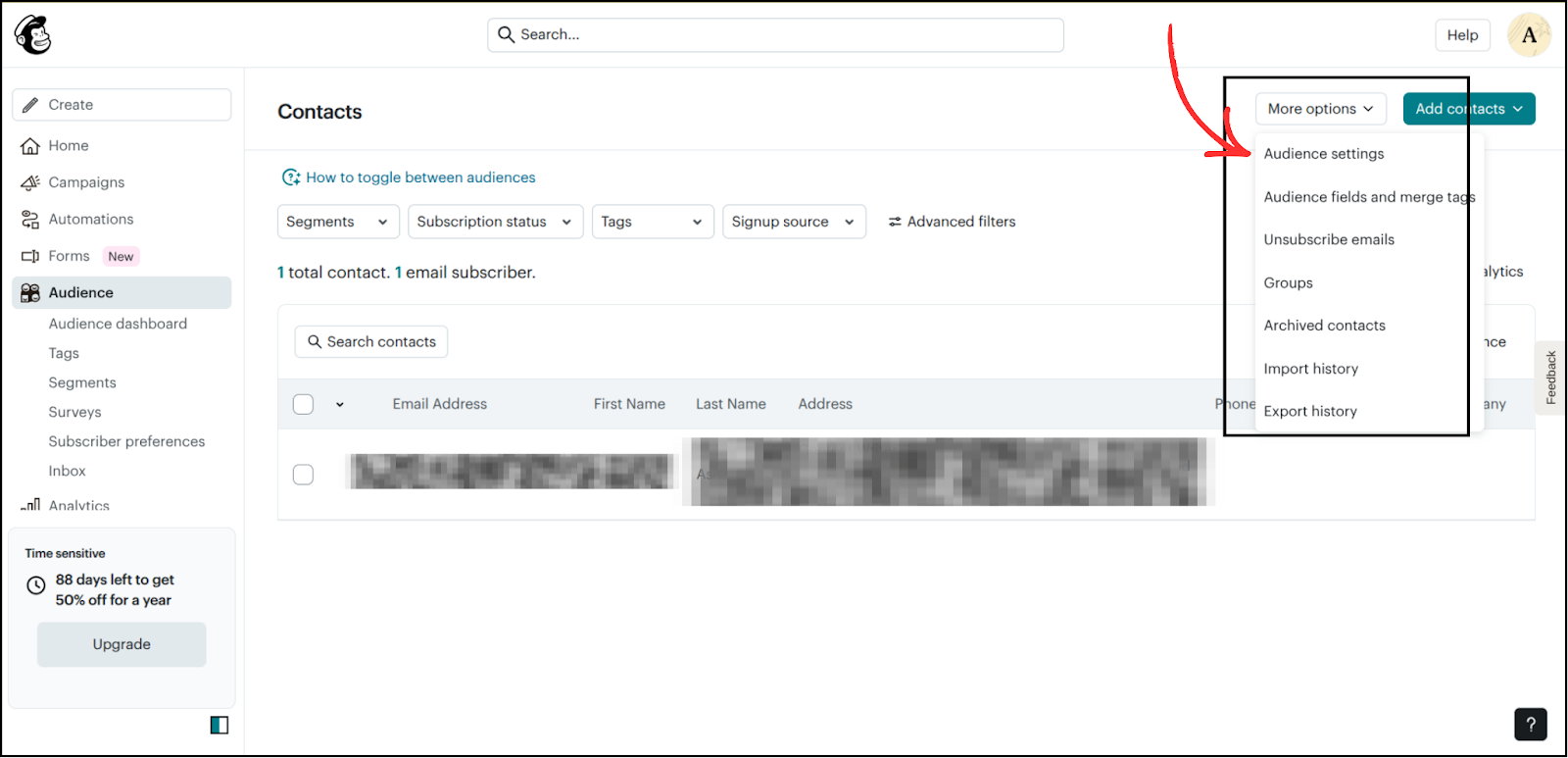
3. Inside Audience Settings, you will find your Audience ID.

This ID tells Group Collector which Mailchimp audience (list) it should send your new leads to.
Copy the audience id and store it in Notepad.
Step 3: Select Mailchimp as Your Autoresponder
In Group Collector, select MailChimp as the group autoresponder.

Step 4: Enter Your Mailchimp Details Into Group Collector
Open your Notepad/Notes and copy each value into Group Collector:
- API Key
- Audience ID
- Tag Name (Optional): Enter tag names that you would like to apply to your contacts. Separate multiple tags with a comma
After filling all fields, click the Verify and Update button.
If everything is correct, Group Collector will confirm the integration.

Done! Your Mailchimp Integration Is Successfully Set Up
Now, whenever you approve members in your Facebook group:
- Their answers go into your Google Sheet, and
- Their email automatically goes into your Mailchimp Audience, with the tag you created.
You don't have to add anyone manually. Group Collector does it for you.