
How to Connect Group Collector with Systeme.io
Connecting Systeme.io with Group Collector allows you to automatically collect Facebook group members and send them directly into your email marketing system.
This setup is ideal for:
- Email automation
- Facebook group growth
- CRM organization
Once connected, every approved group member is automatically:
- Captured by Group Collector
- Stored in Google Sheets
- Added to Systeme.io
- Tagged for automations and email campaigns
What You Need Before Starting
To successfully integrate Systeme.io with Group Collector, make sure you have:
- An active Systeme.io account
- A connected Facebook group in Group Collector
- Membership questions are already set up
- Access to Systeme.io Tags and API settings
You will only need:
- Systeme.io API Key
- Systeme.io Tag Name
This guide will show you how to get both.
Step 1: Create a Tag in Systeme.io
Tags help identify and trigger automations for new subscribers.
- Log in to Systeme.io
-
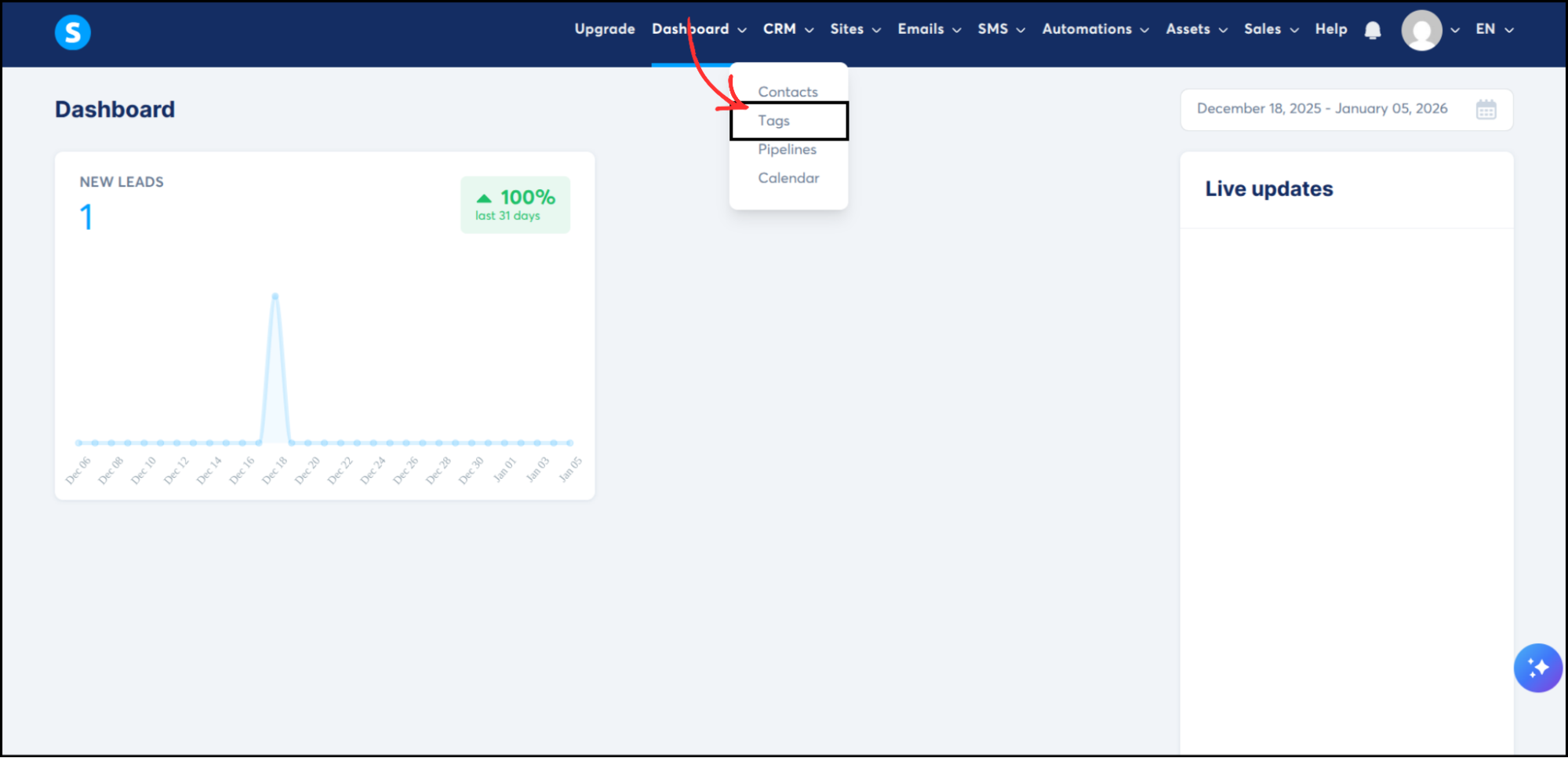
From the top navigation bar, go to CRM → Tags
-
Click Create
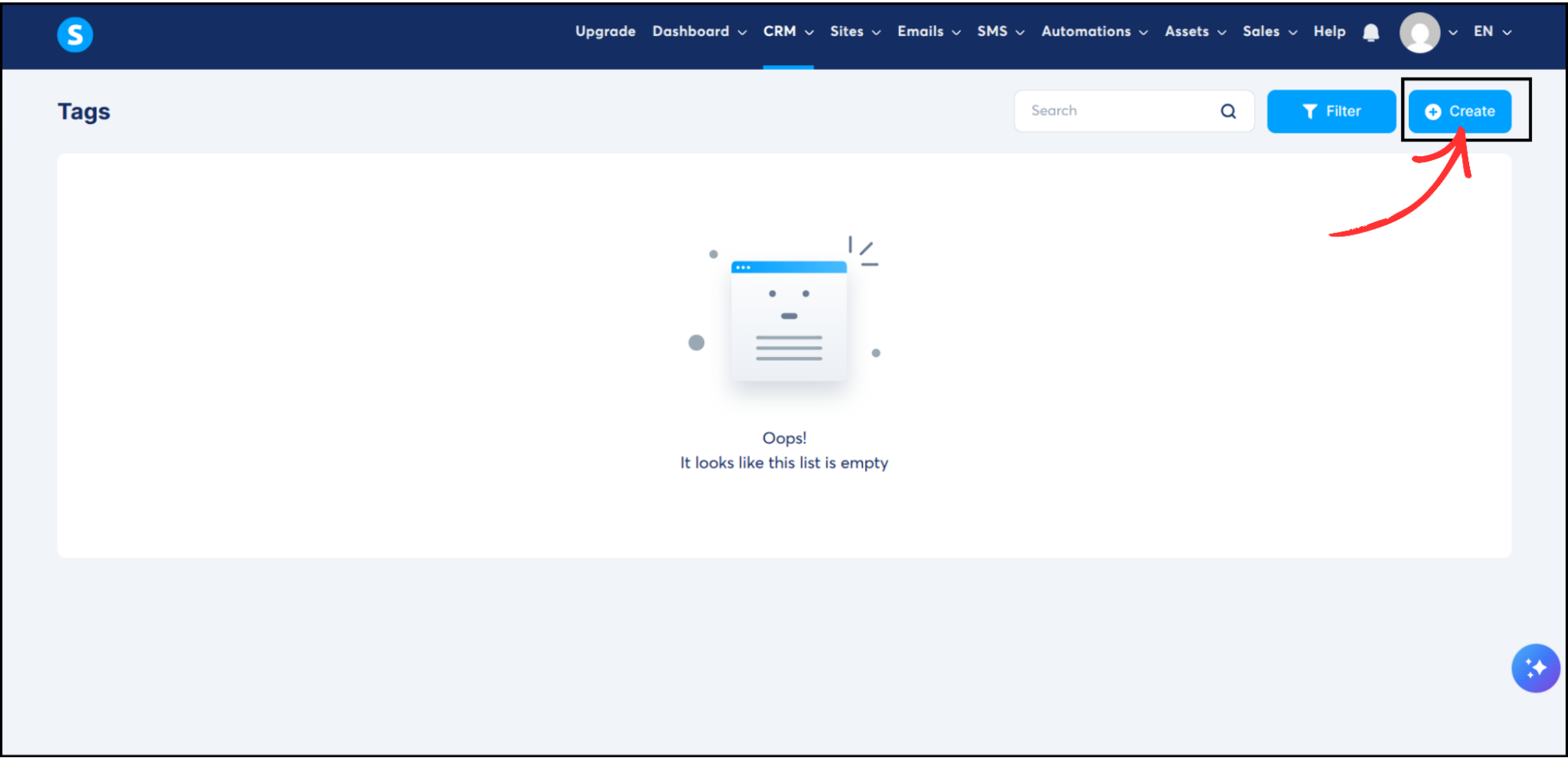
- Enter a tag name (Example: Leads)
- Click Save
This tag will be applied to every lead coming from Group Collector.
Step 2: Generate a Public API Key in Systeme.io
The API key allows secure data transfer between Group Collector and Systeme.io.
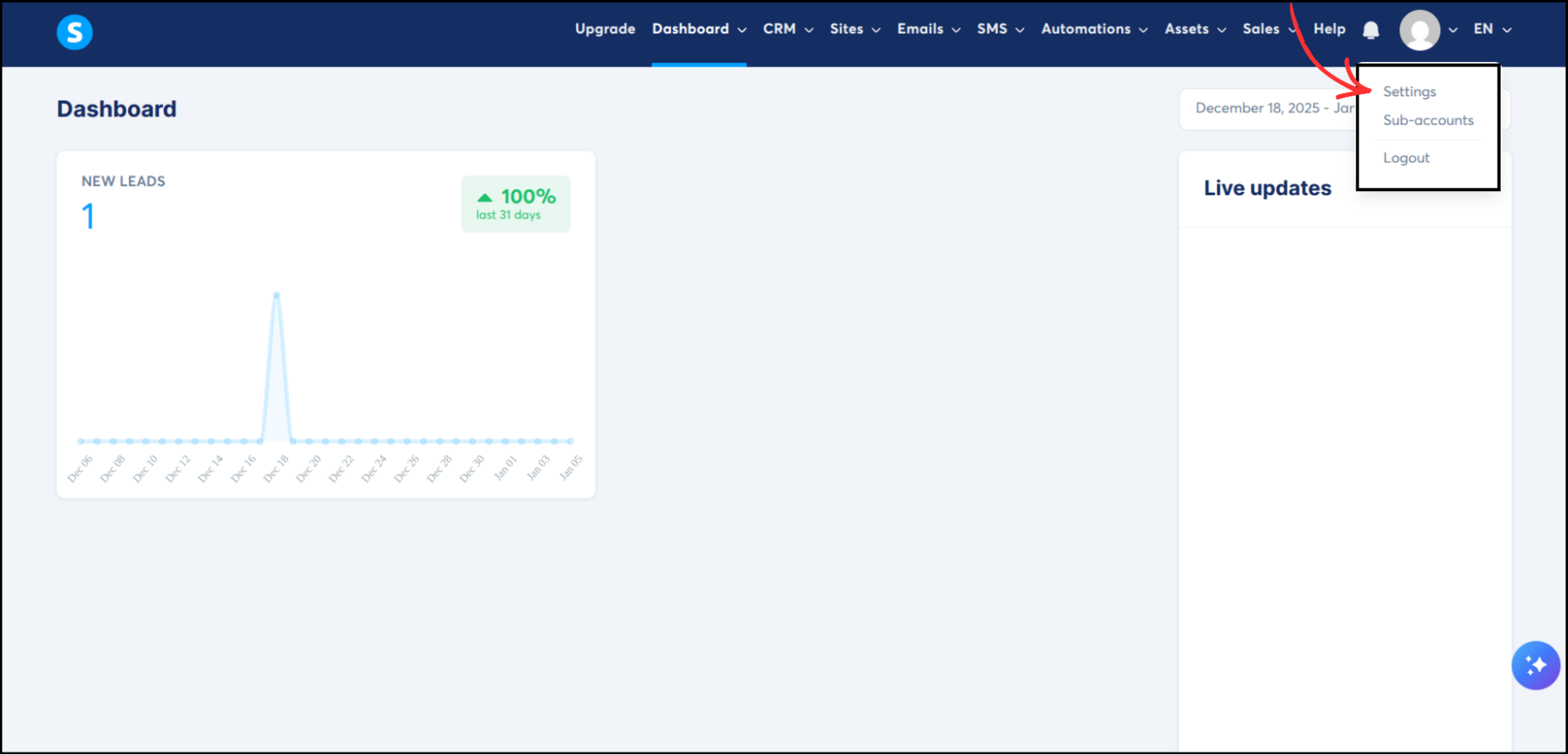
- Click your profile icon (top-right corner)
-
Select Settings
-
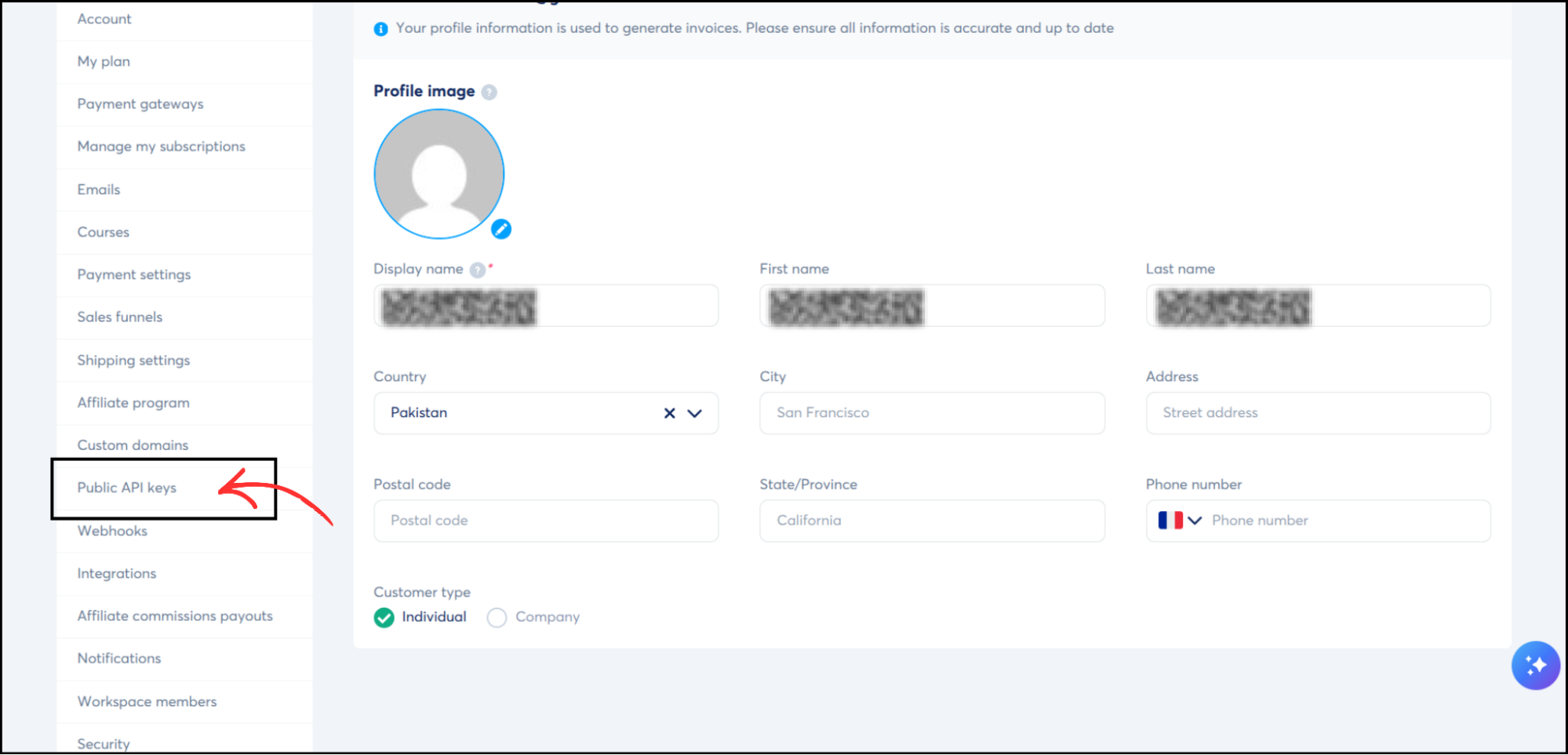
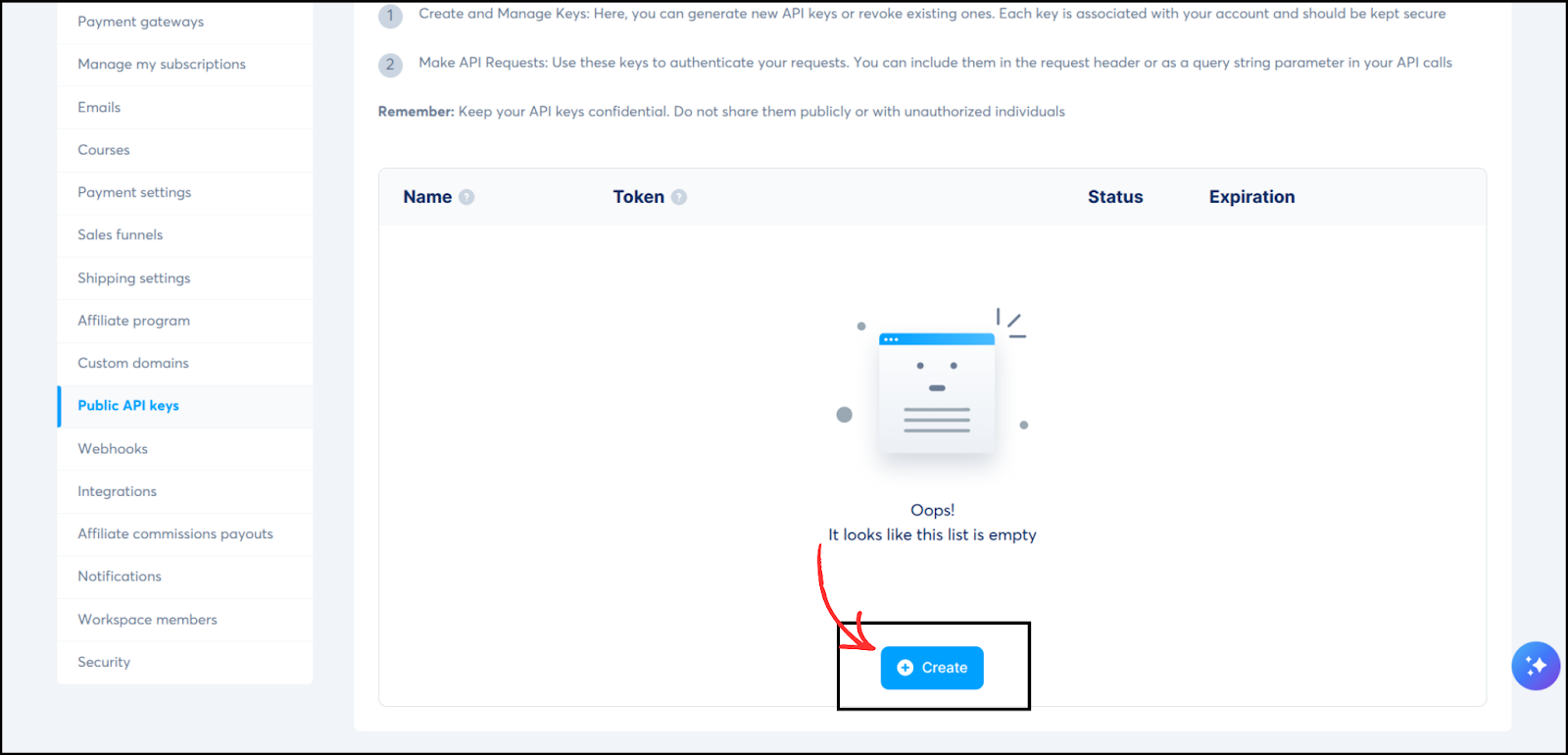
From the left menu, click Public API Keys
-
Click Create
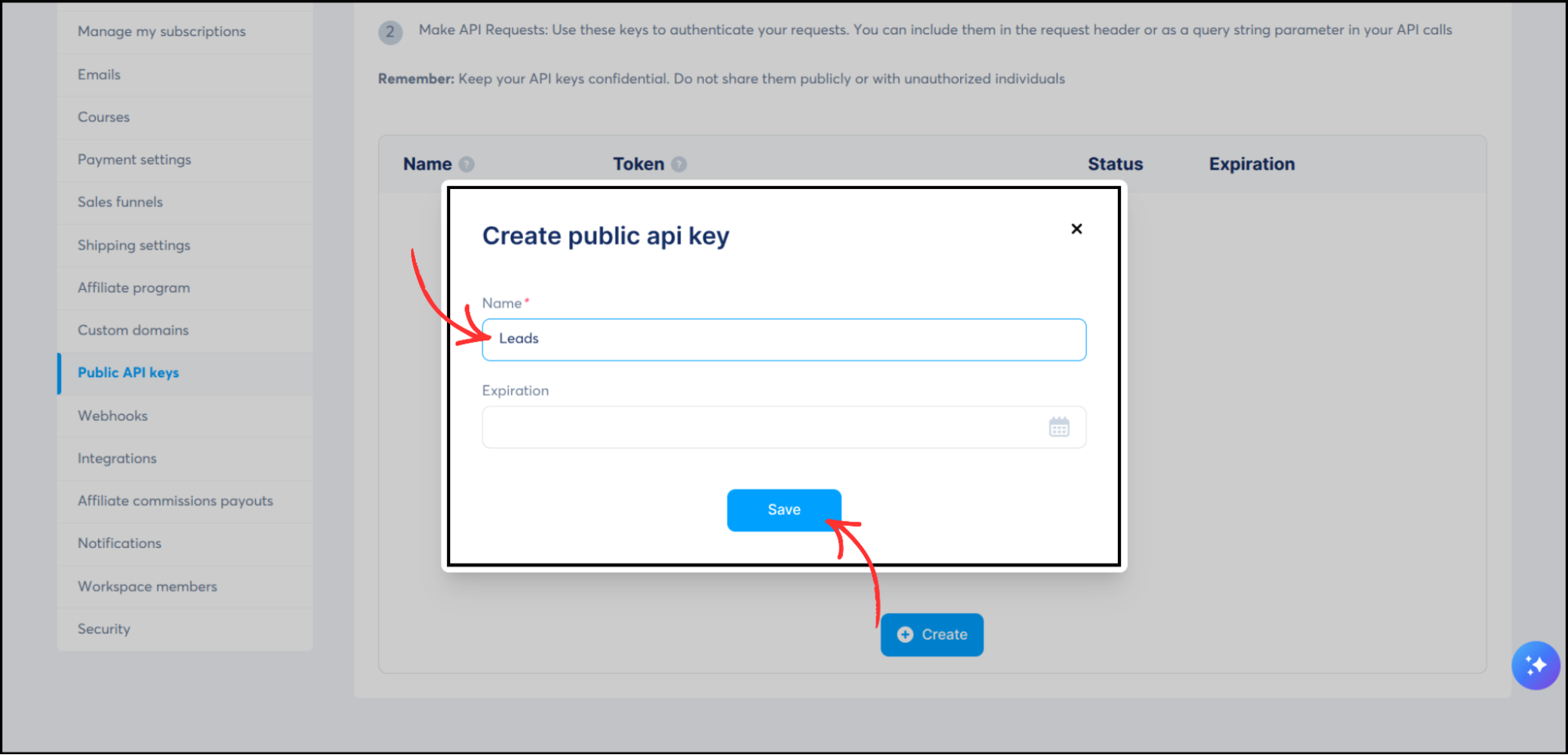
- Name the key (Example: Leads)
-
Click Save
-
Copy it and store it securely
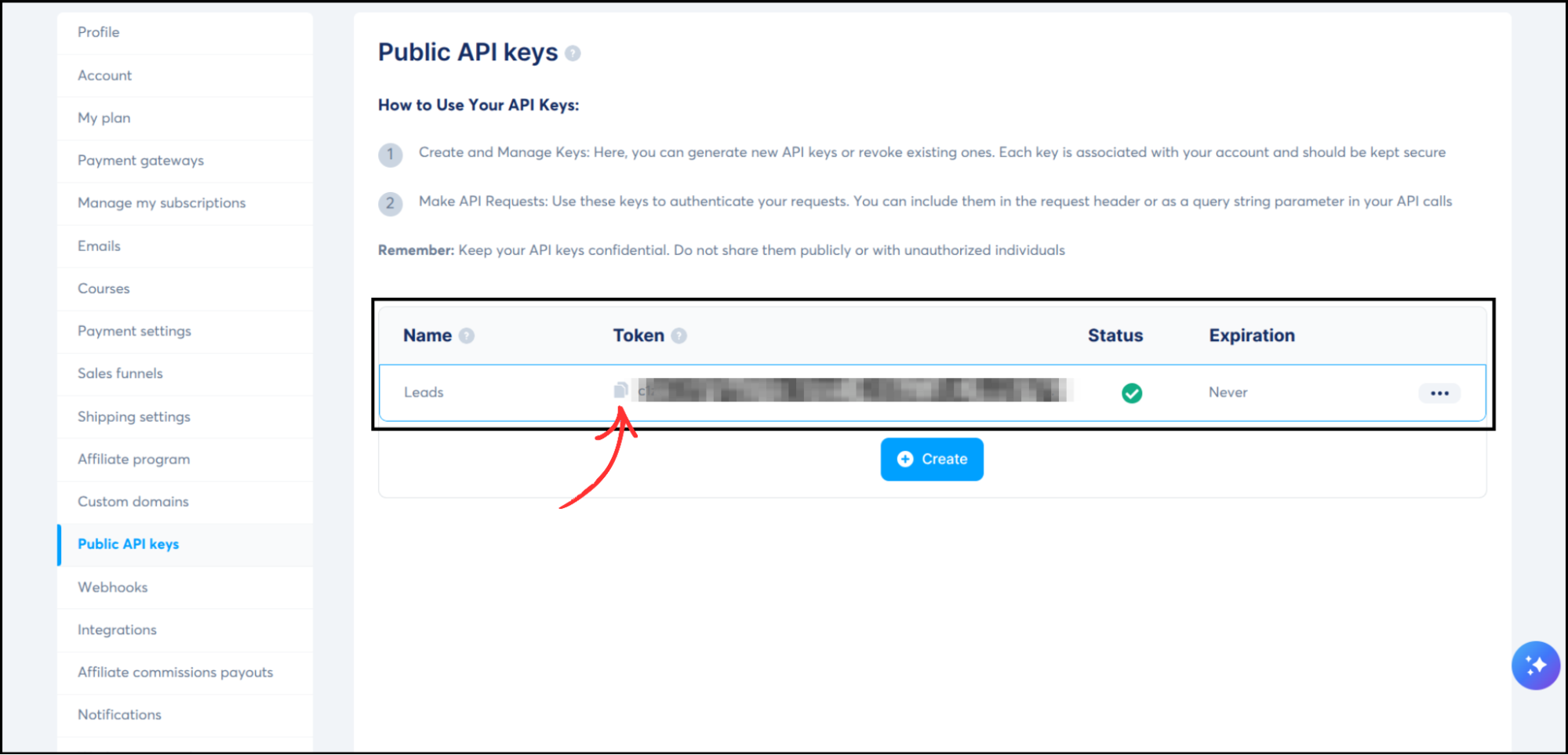
Do not share or regenerate this key after integration.
Step 3: Add Systeme.io as an Autoresponder in Group Collector
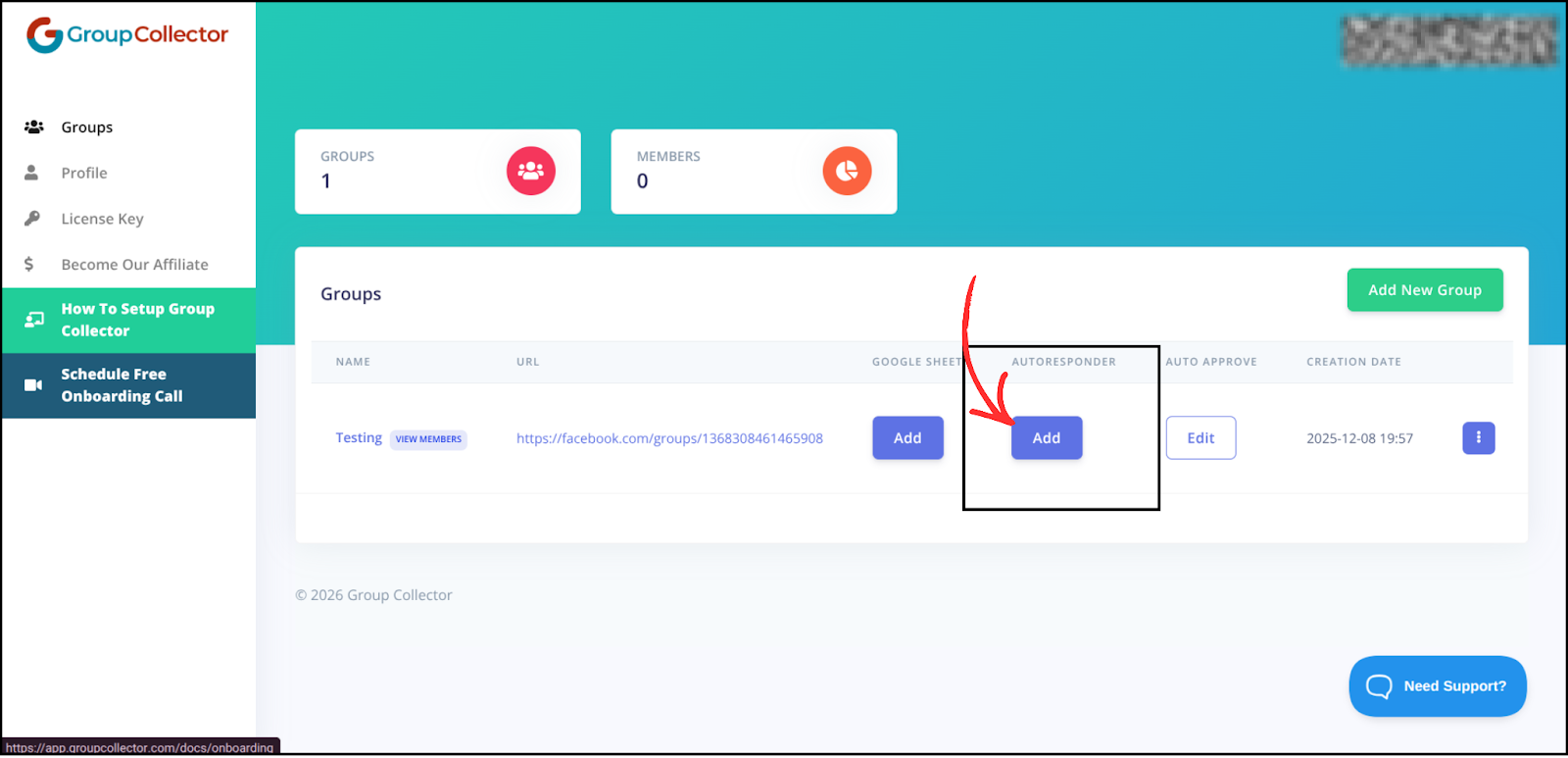
- Open the Group Collector dashboard
-
Click Add button for the Autoresponder
-
Select Systeme.io from the autoresponder list
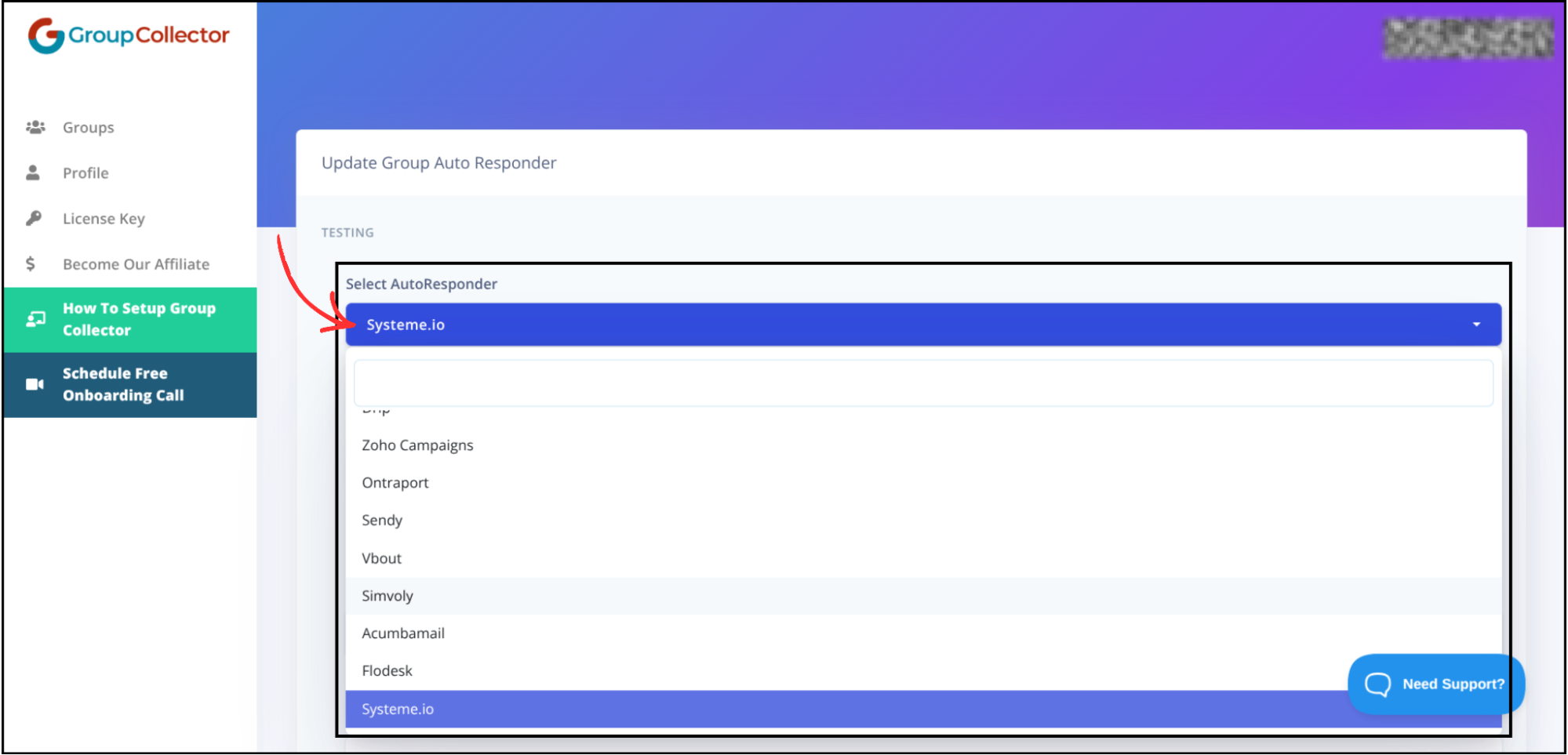
Step 4: Enter Systeme.io Credentials
Paste the following details:
- API Key → Your Systeme.io API key
-
Tag Name → Exact tag name created earlier
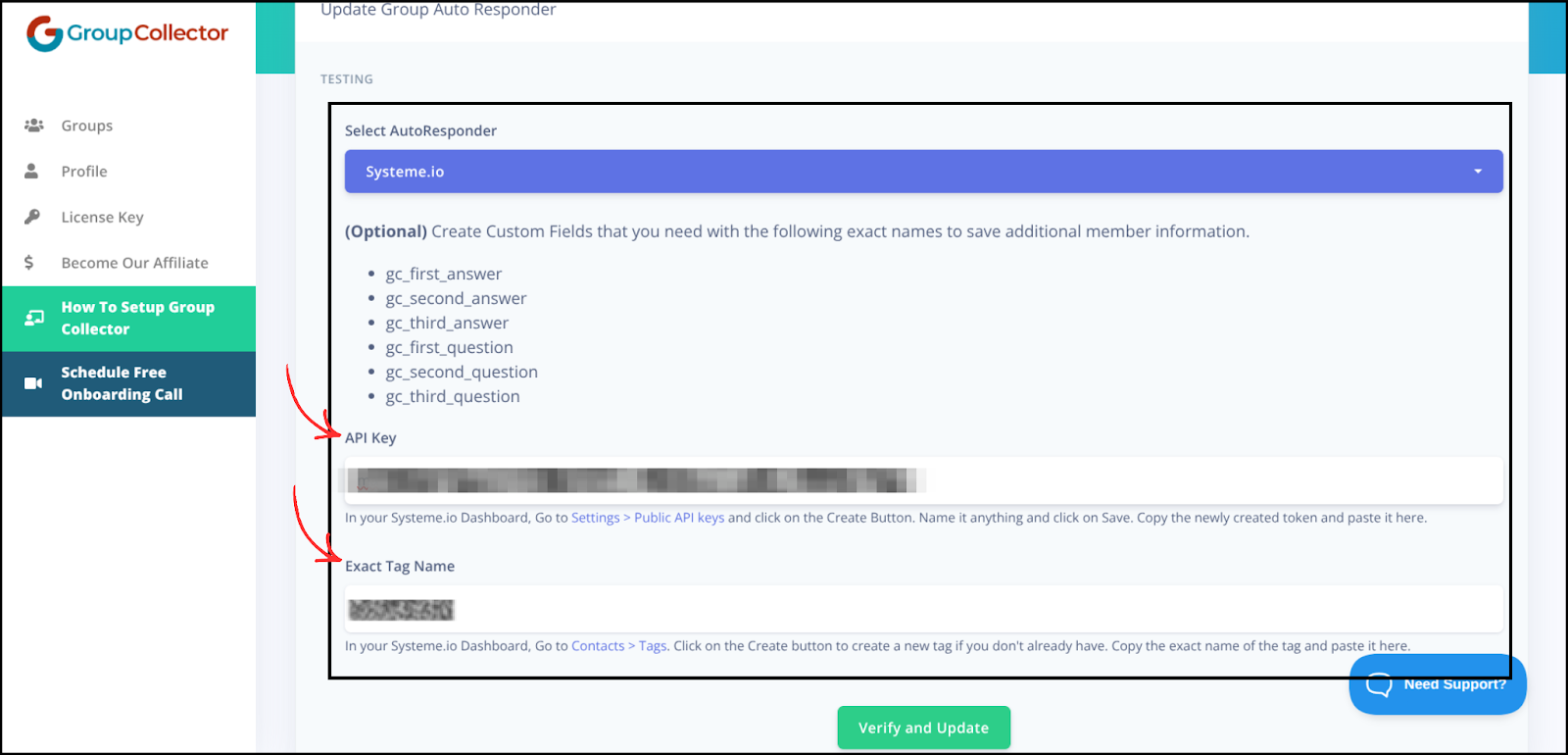
Double-check spelling to avoid connection errors.
Step 5: Verify and Complete Setup
- Click Verify & Update
-
Systeme.io will be successfully connected
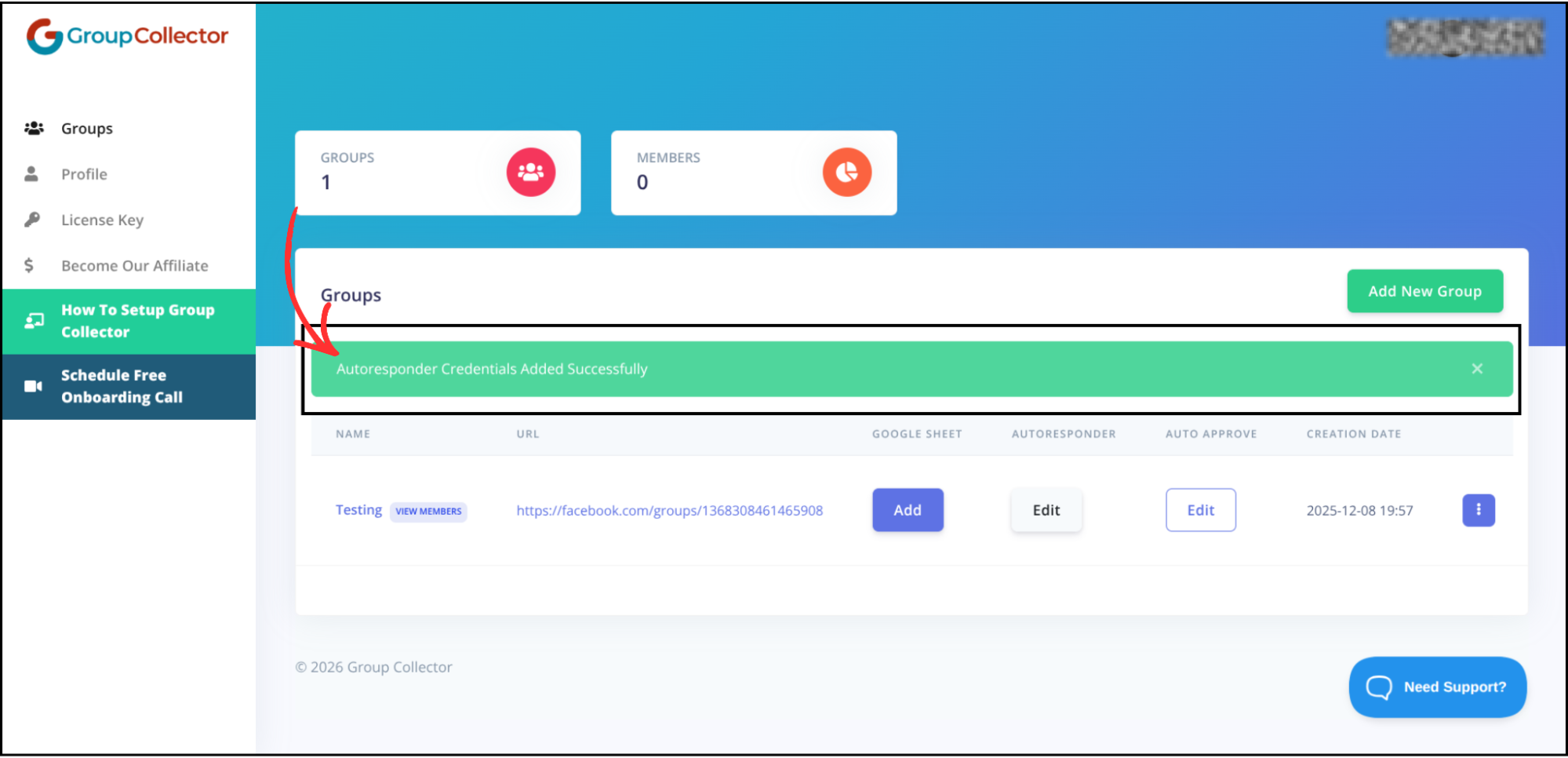
Your autoresponder setup is now complete.
Final Result
Once connected:
- Approved Facebook group members are automatically added to your Systeme.io account
- Tags are applied for segmentation and automation
- Leads are ready for email campaigns, sequences, and automations
- Data is also stored in Google Sheets for backup and tracking
Common Mistakes to Avoid
- Copy the API key exactly from Systeme.io and do not regenerate it after integration
- Ensure the tag name matches exactly (case-sensitive)
- Always click Verify & Update to confirm the connection
- Make sure you are logged into the correct Systeme.io account
- Without a tag, automations in Systeme.io won't trigger
Best Practices
- Use unique tags for different groups — helps with organizing subscribers and automations
- Test with one member first — confirm the connection before full rollout
- Keep the API Key secure — store safely and do not share
- Monitor regularly — check for errors in syncing new members
- Use Google Sheets backup — maintain a backup and track lead growth