
How to Connect Group Collector with Kit
ConvertKit (now called Kit) is a powerful email marketing platform designed for creators. Integrating ConvertKit with Group Collector allows you to automatically sync new Facebook group members to your ConvertKit account with specific tags.
To complete this integration, you will need:
- ConvertKit API Key
- A Tag Name in ConvertKit
This guide will show you how to get both.
Before starting, make sure you have:
- An active ConvertKit account
- A connected Facebook group in Group Collector
Step 1: Log in to ConvertKit and Access Settings
- Log in to your ConvertKit account
-
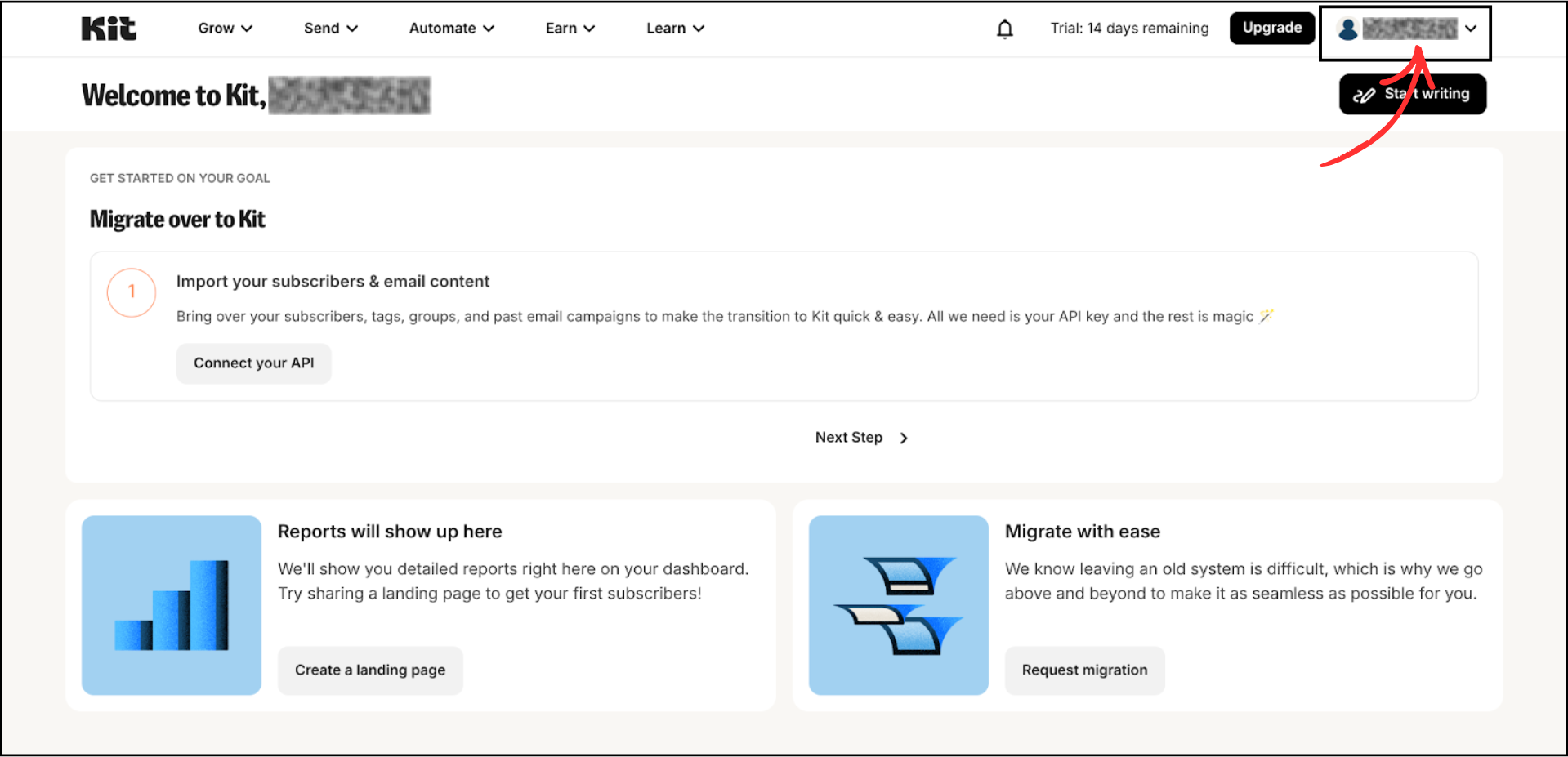
Click on your profile icon in the top-right corner
-
From the dropdown menu, click on Settings


Step 2: Get Your API Key from ConvertKit
-
In the Settings page, scroll down and click on Developer in the left sidebar

- Under API Keys, locate the V3 Key section
-
Copy your API Key by clicking the Copy button
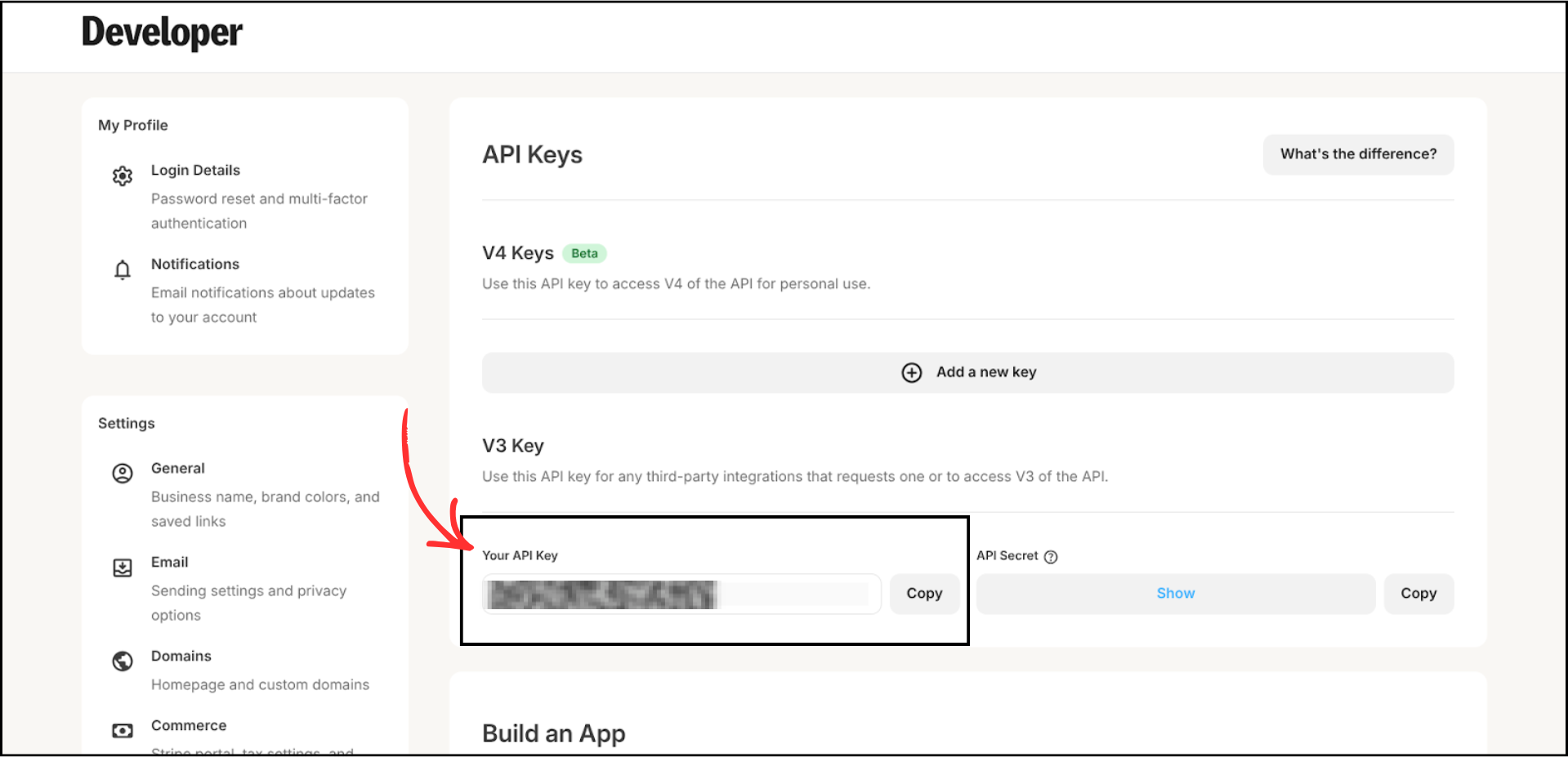

Important: Save your API key securely. You will need it in the next steps.
Step 3: Create a Tag in ConvertKit
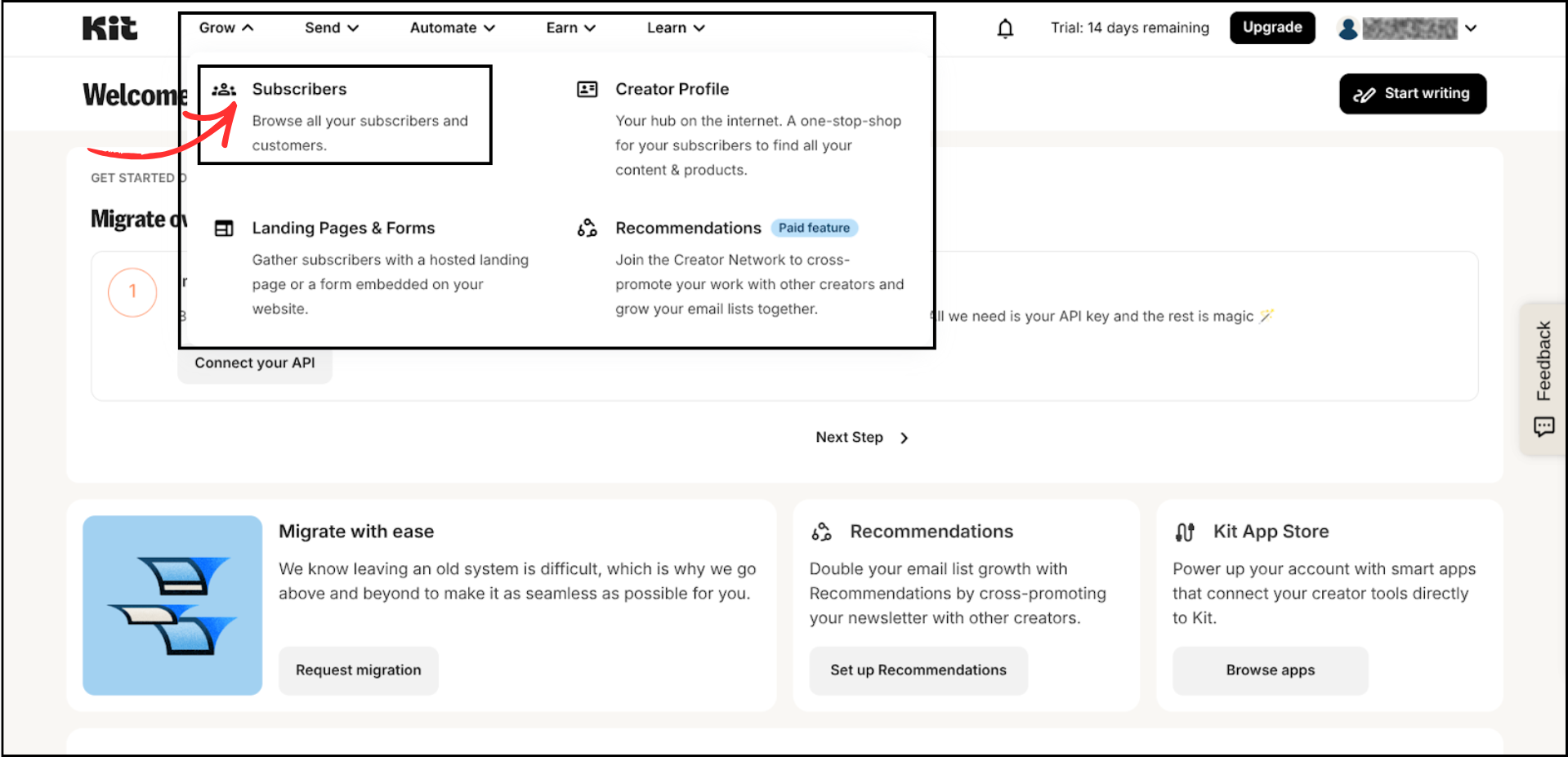
- Go back to your ConvertKit dashboard and click on Grow in the top navigation
-
Select Subscribers from the dropdown menu
-
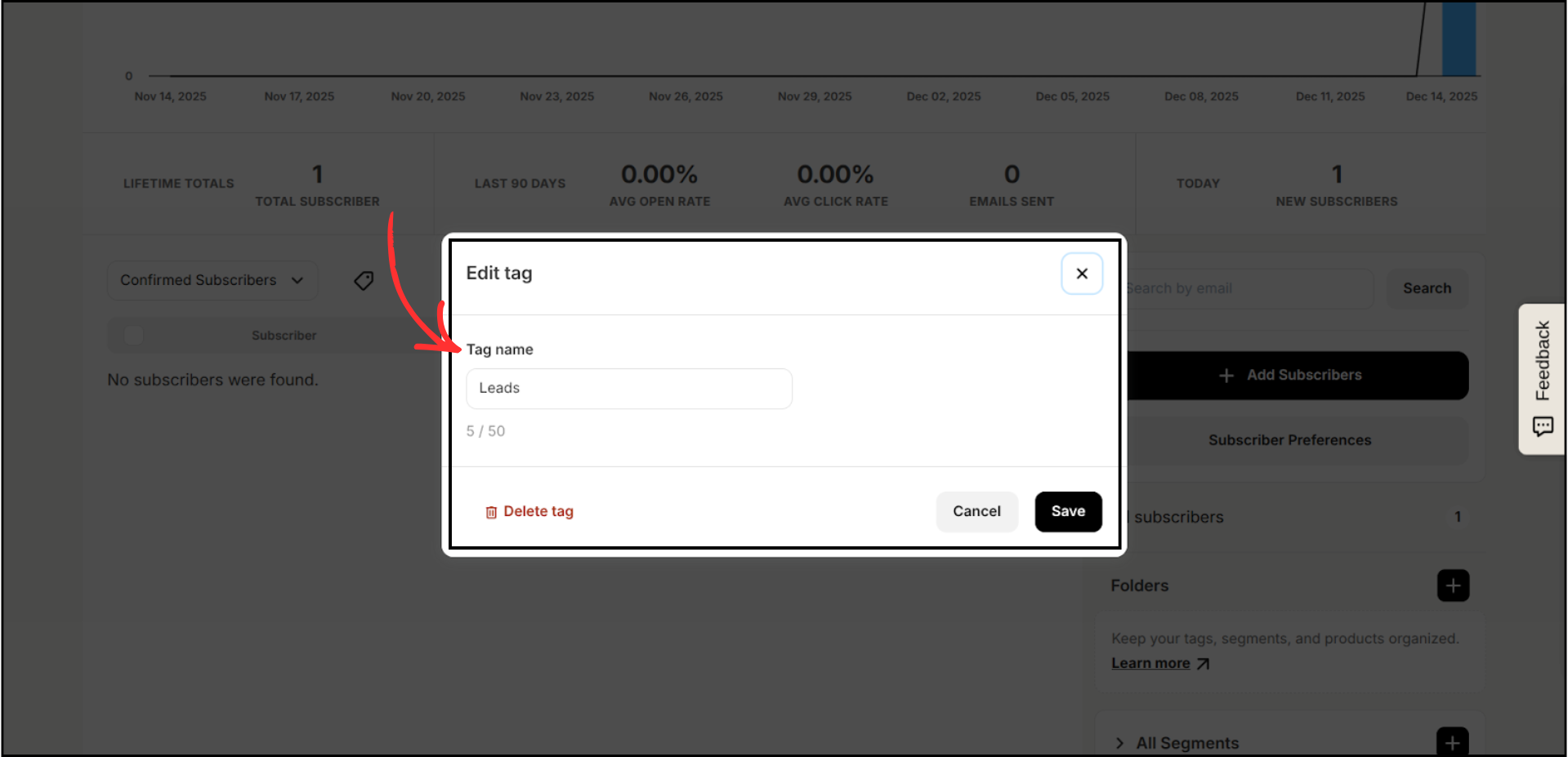
In the right sidebar, scroll down and click on All Tags, then click the + button to create a new tag

-
Enter a name for your tag (Example: Leads) and click Save

Step 4: Add ConvertKit as an Autoresponder in Group Collector
- Log in to your Group Collector dashboard
- Click Add button for the Autoresponder
-
Select ConvertKit from the autoresponder list


Step 5: Enter Your ConvertKit Credentials
- Paste your API Key into the API Key field
-
Enter the exact tag name you created in ConvertKit into the Exact Tag Name field
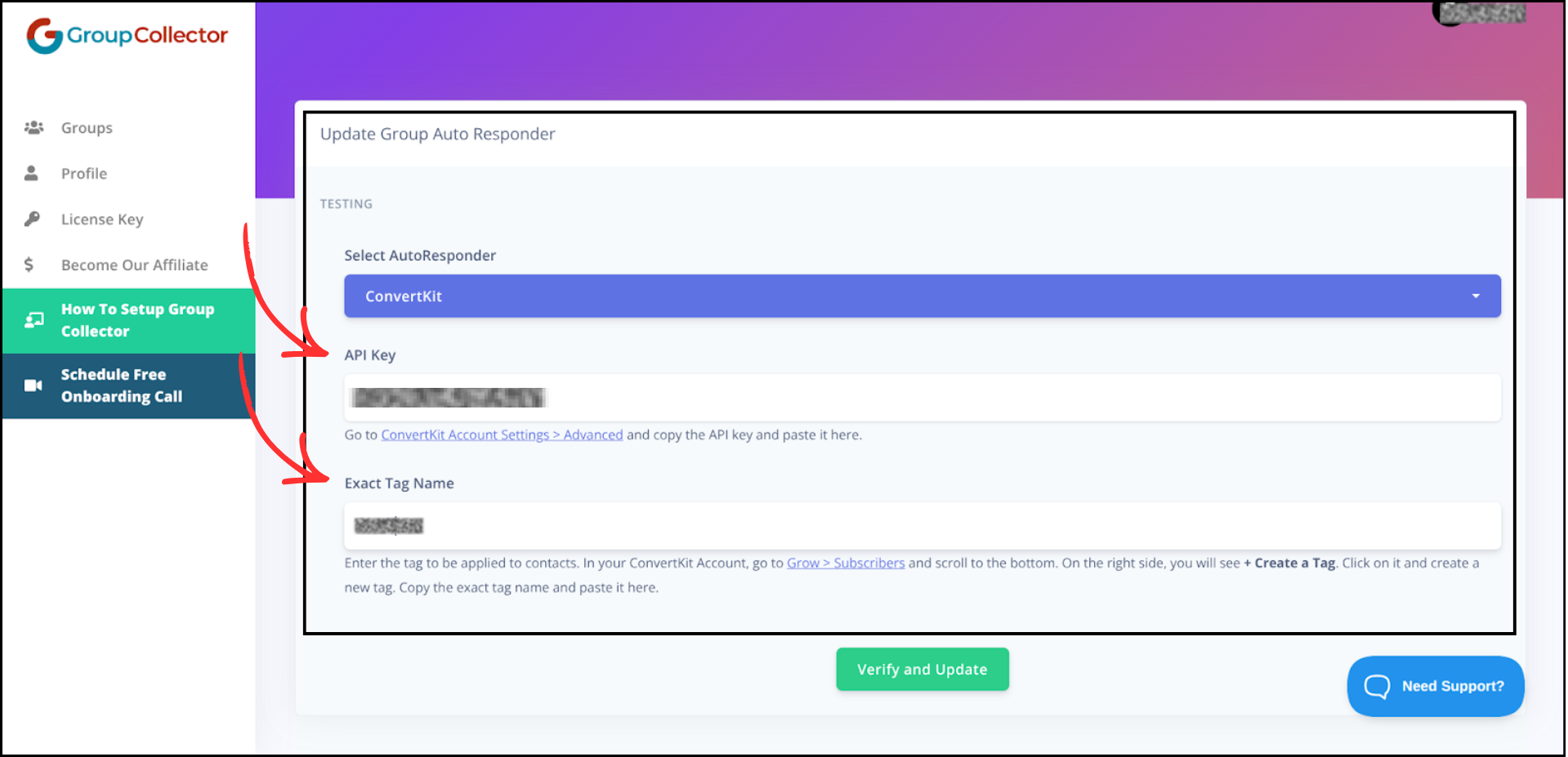
-
Click Verify and Update


If everything is correct, Group Collector will confirm the connection.
Final Result
Once the integration is complete:
- Approved Facebook group members are automatically added to your ConvertKit account
- Members are tagged with the specified tag name
- Subscribers are ready for email sequences and broadcasts
- No manual CSV import is required
- Data is also stored in Google Sheets for backup and tracking
Common Mistakes to Avoid
- Using the wrong API key version — make sure to use the V3 Key, not V4
- Entering the tag name incorrectly — the tag name must match exactly
- Not creating the tag before trying to connect
- Closing the browser before verification completes
- Not testing the integration with a sample member
Best Practices
- Test the integration with a sample approved member
- Use separate tags for different Facebook groups
- Keep API Keys stored securely
- Review integrations periodically to ensure they are working correctly
- Set up email sequences in ConvertKit to welcome new subscribers