
How to Connect Group Collector with Klaviyo
If you want your Facebook group members to be automatically added to your Klaviyo email list, you need to integrate Group Collector with Klaviyo. This setup takes only a few minutes and eliminates the need for manual contact uploads.
To complete this integration, you will need:
- Your Klaviyo Private API Key
- A Klaviyo List where contacts will be added
This guide will show you how to get both.
Also, make sure:
- You have an active Klaviyo account
- Your Facebook group is already created inside Group Collector
Step 1: Log In to Klaviyo and Get Your API Key
-
Log in to your Klaviyo account.

-
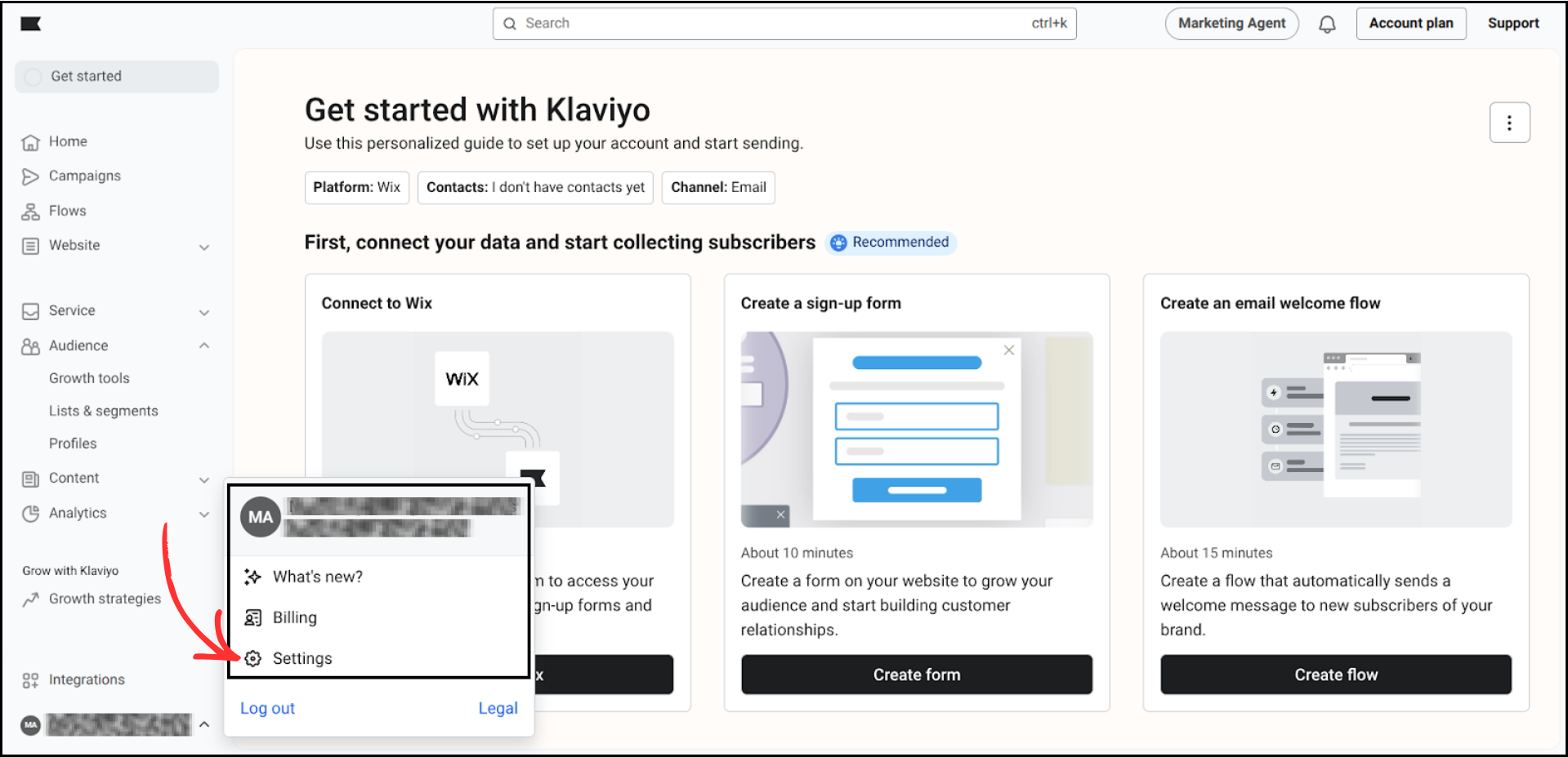
From the left sidebar, click on the Profile Icon (at the bottom left) and select Settings.
-
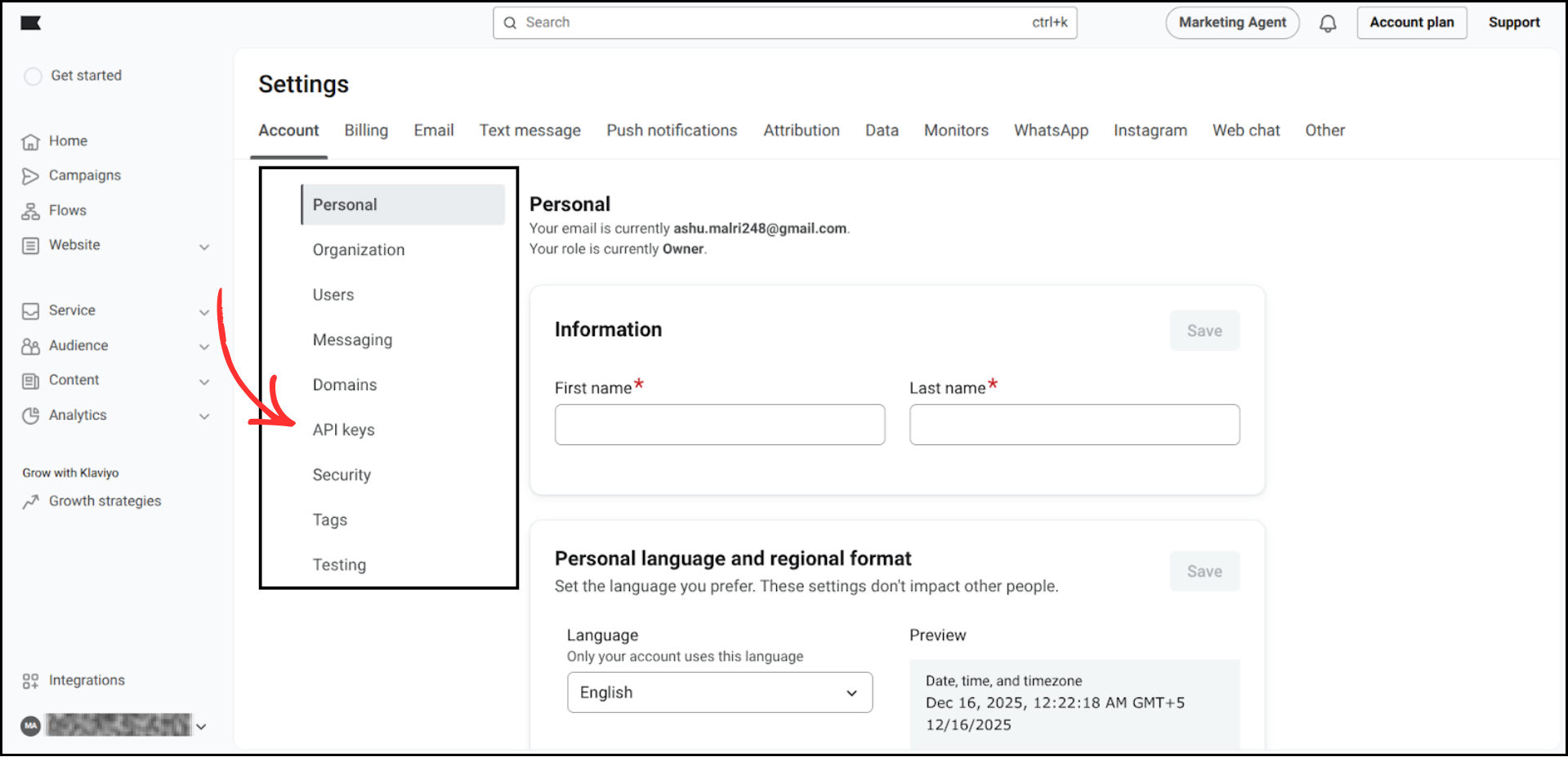
Inside Settings, click on API Keys.
-
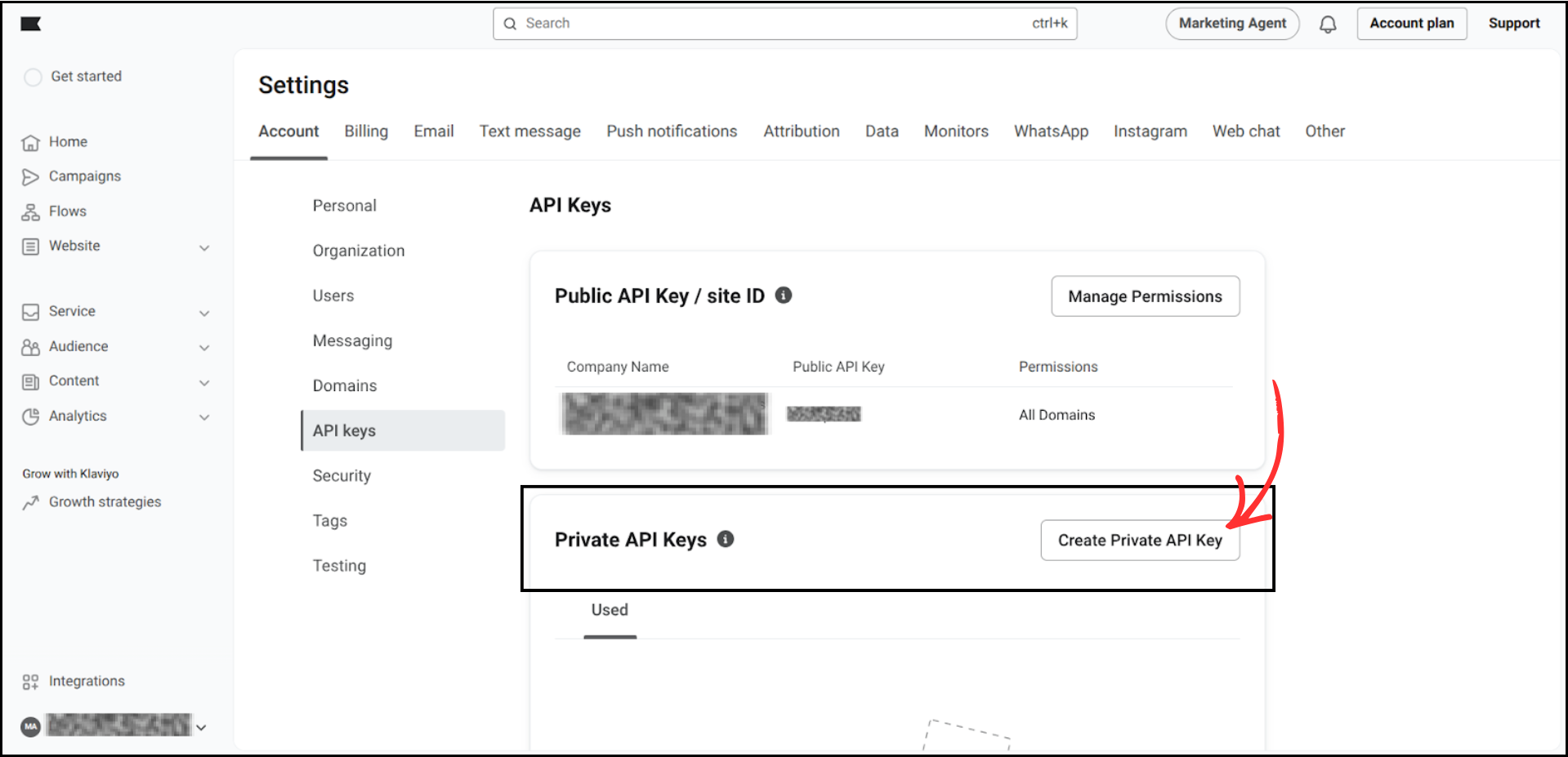
You will see the Public API Key and Private API Key options. Click Create Private API Key.
-
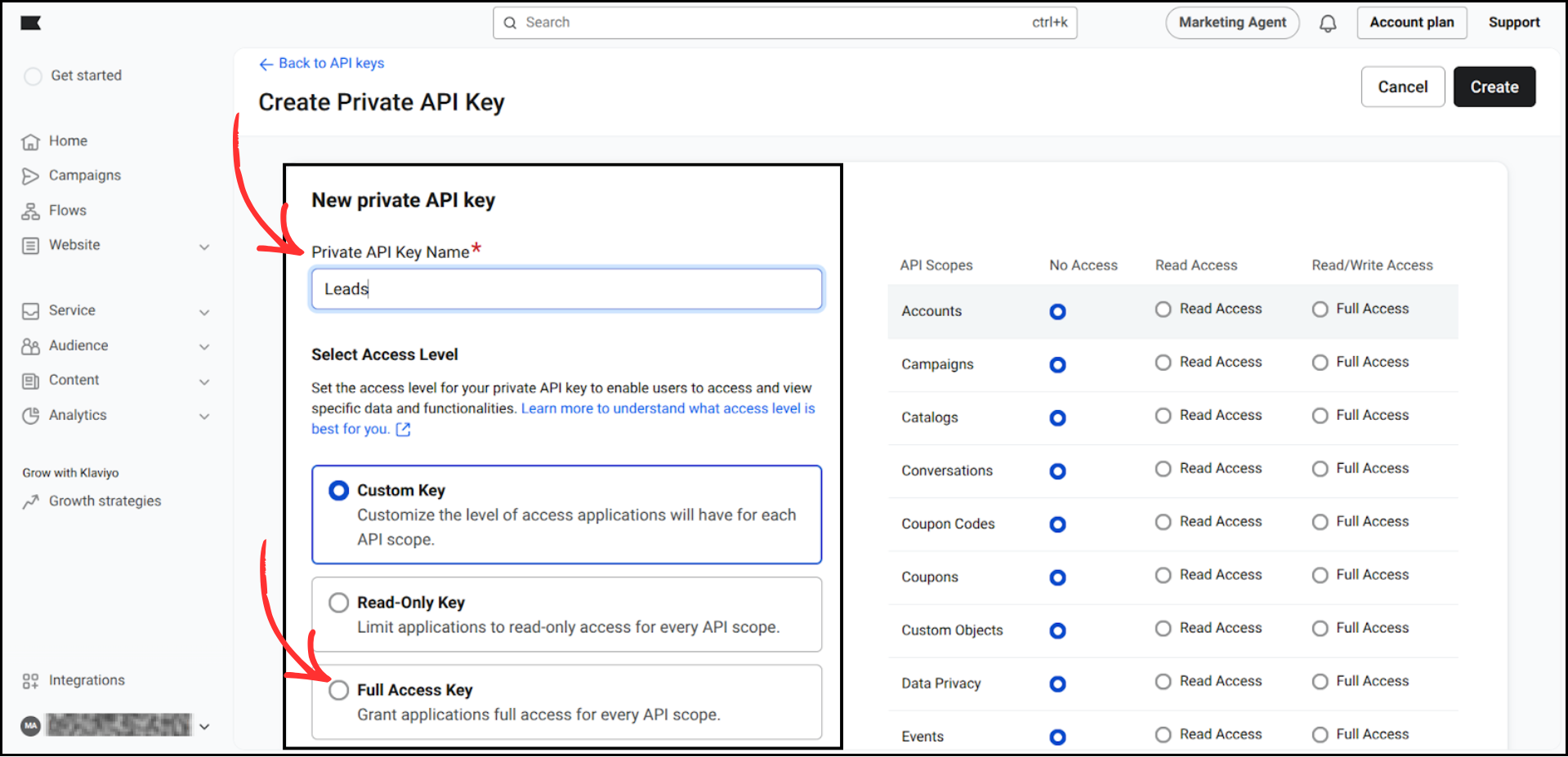
Give it a name (for example: Leads). In Access Level, select Full Access Key. Click Create.
-
Your API Key will be generated. Copy the Private API Key and save it in Notepad or Notes — you will need it later.
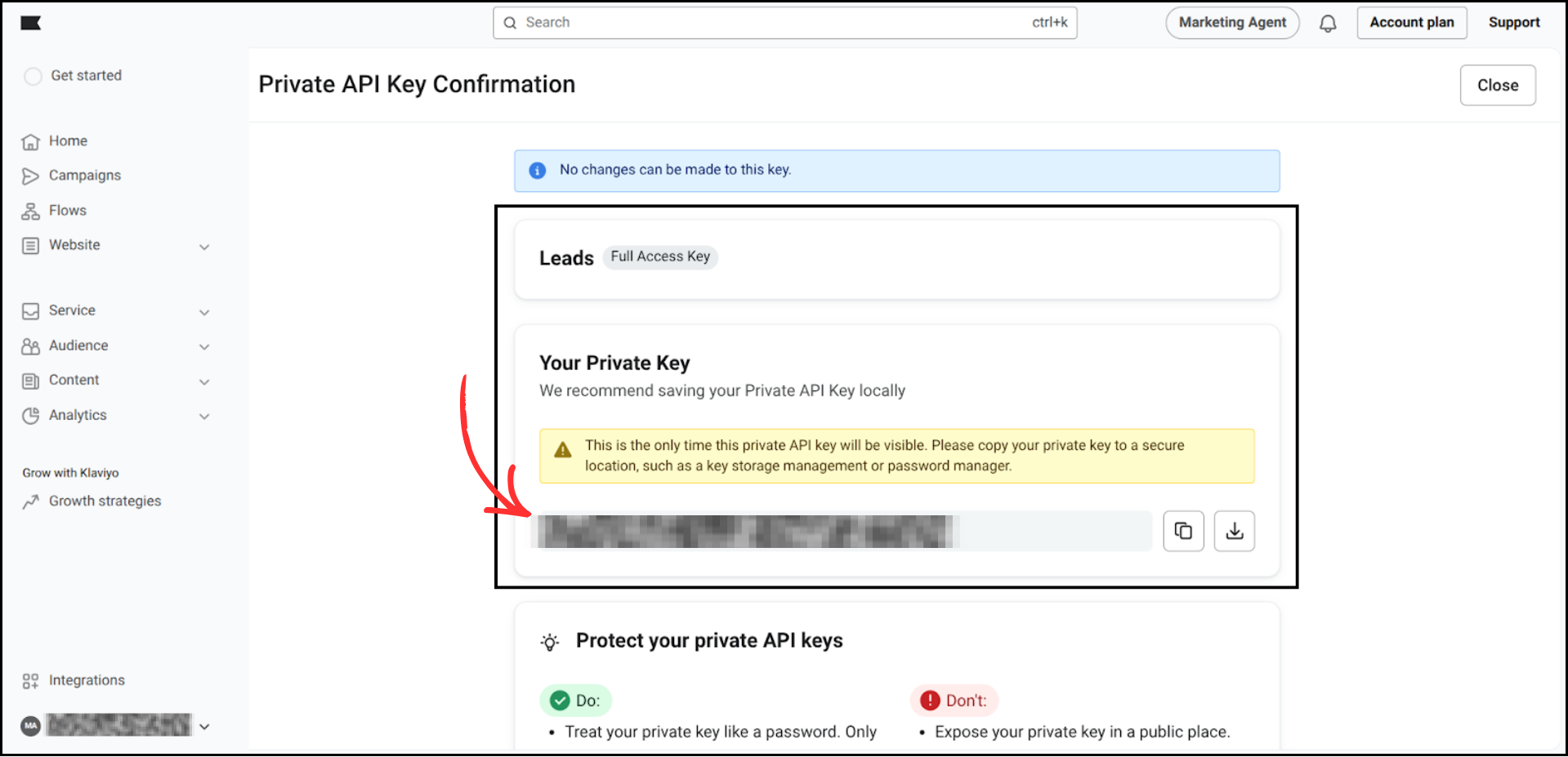

Important: Keep this API Key secure. Do not share it with anyone.
Step 2: Create a List in Klaviyo
Now you need a list to add your Facebook group members.
-
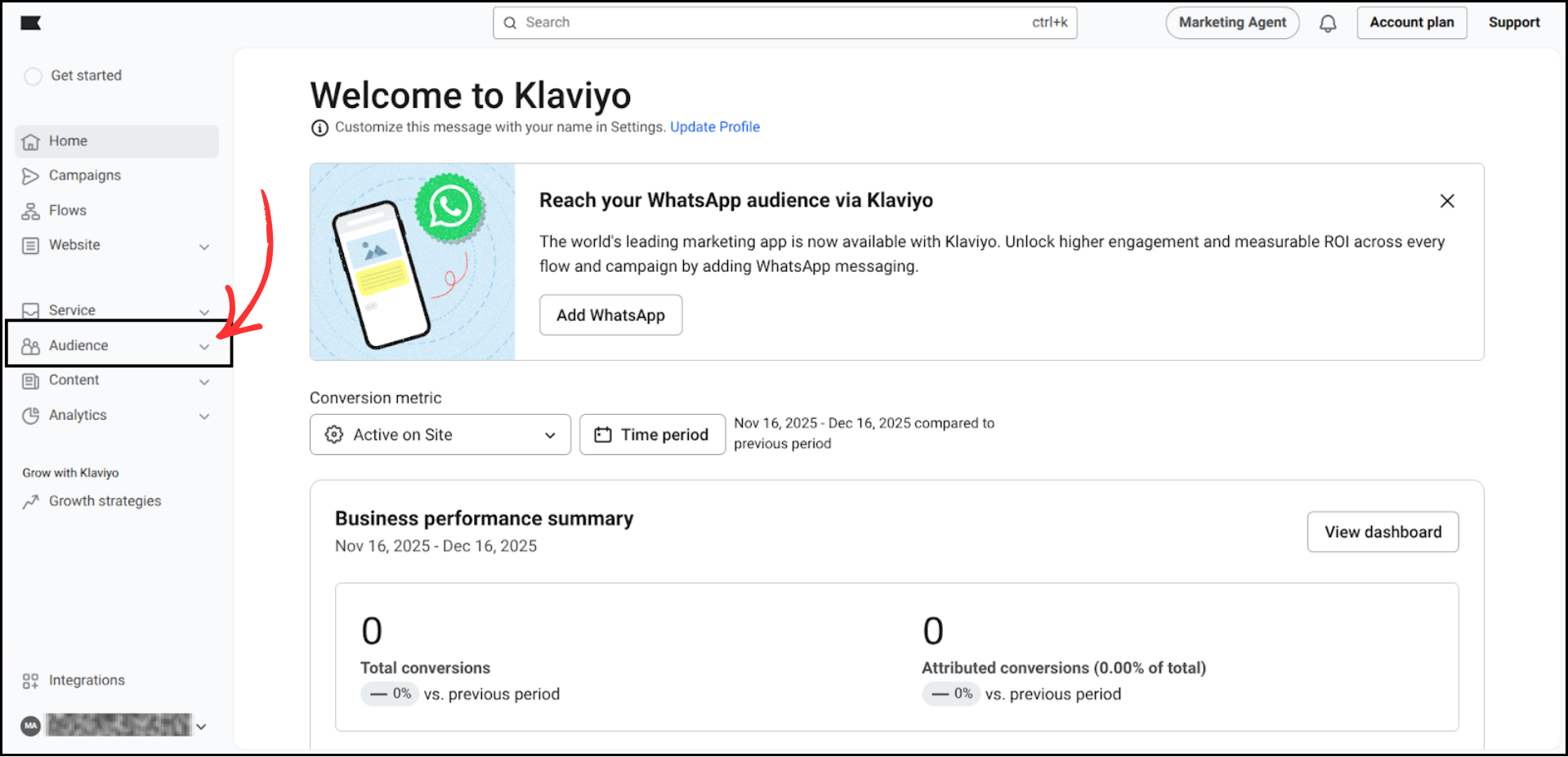
From the left menu, click on Audience.
-
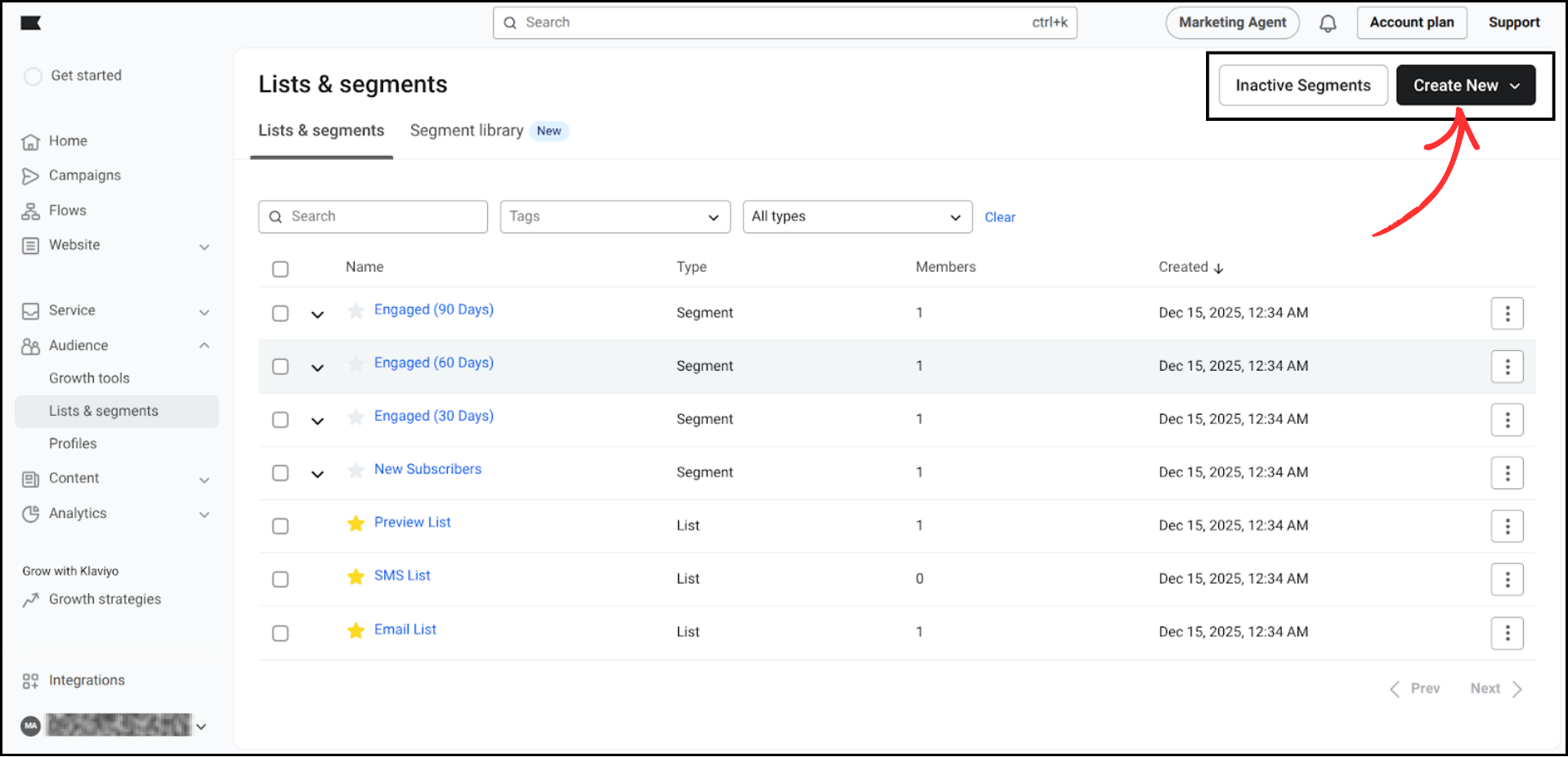
Click on Lists & Segments, then click Create New.
-
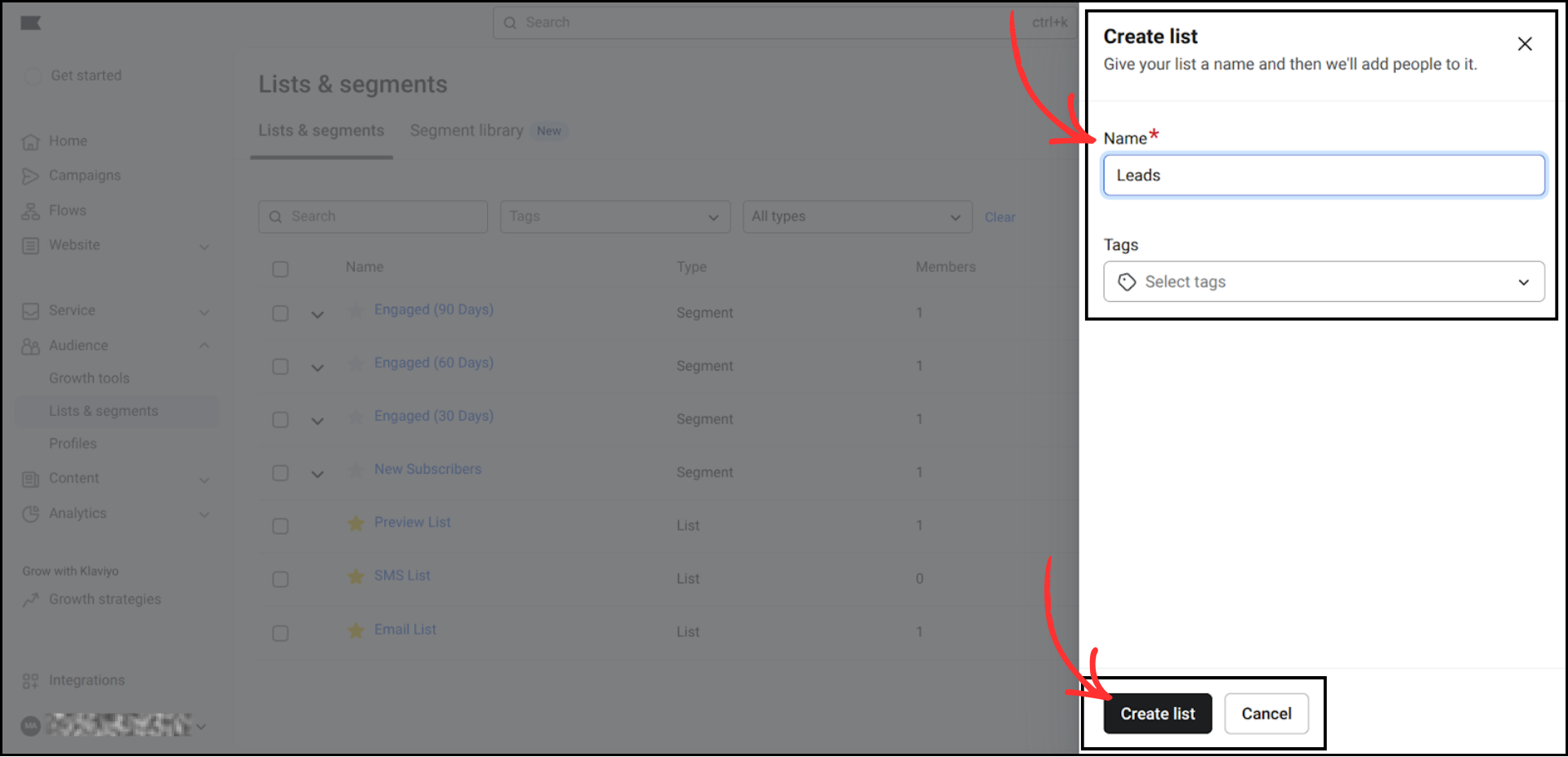
Name your list whatever you like, then click Create List.
-
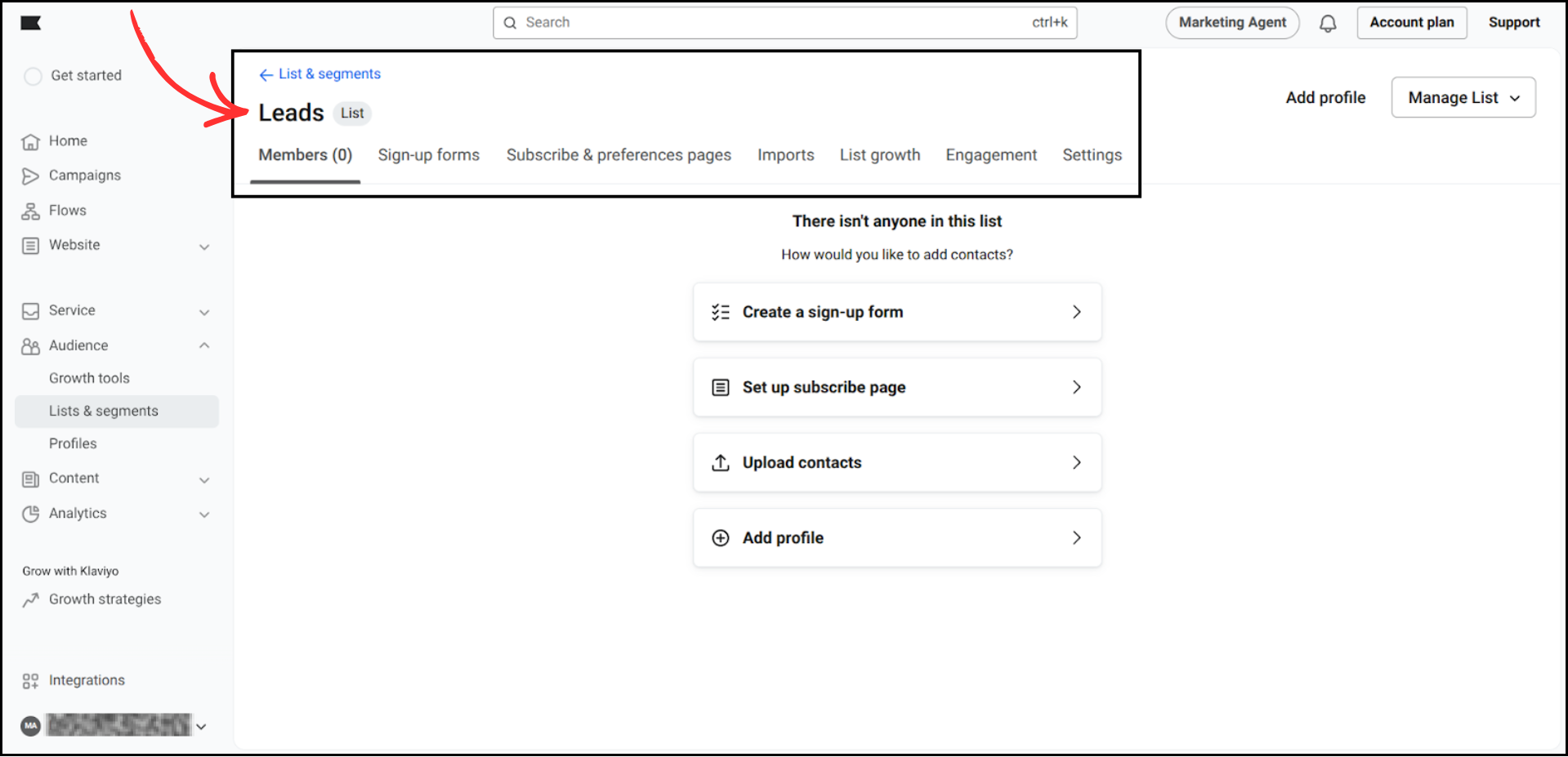
After the list is created, click on Settings.
-
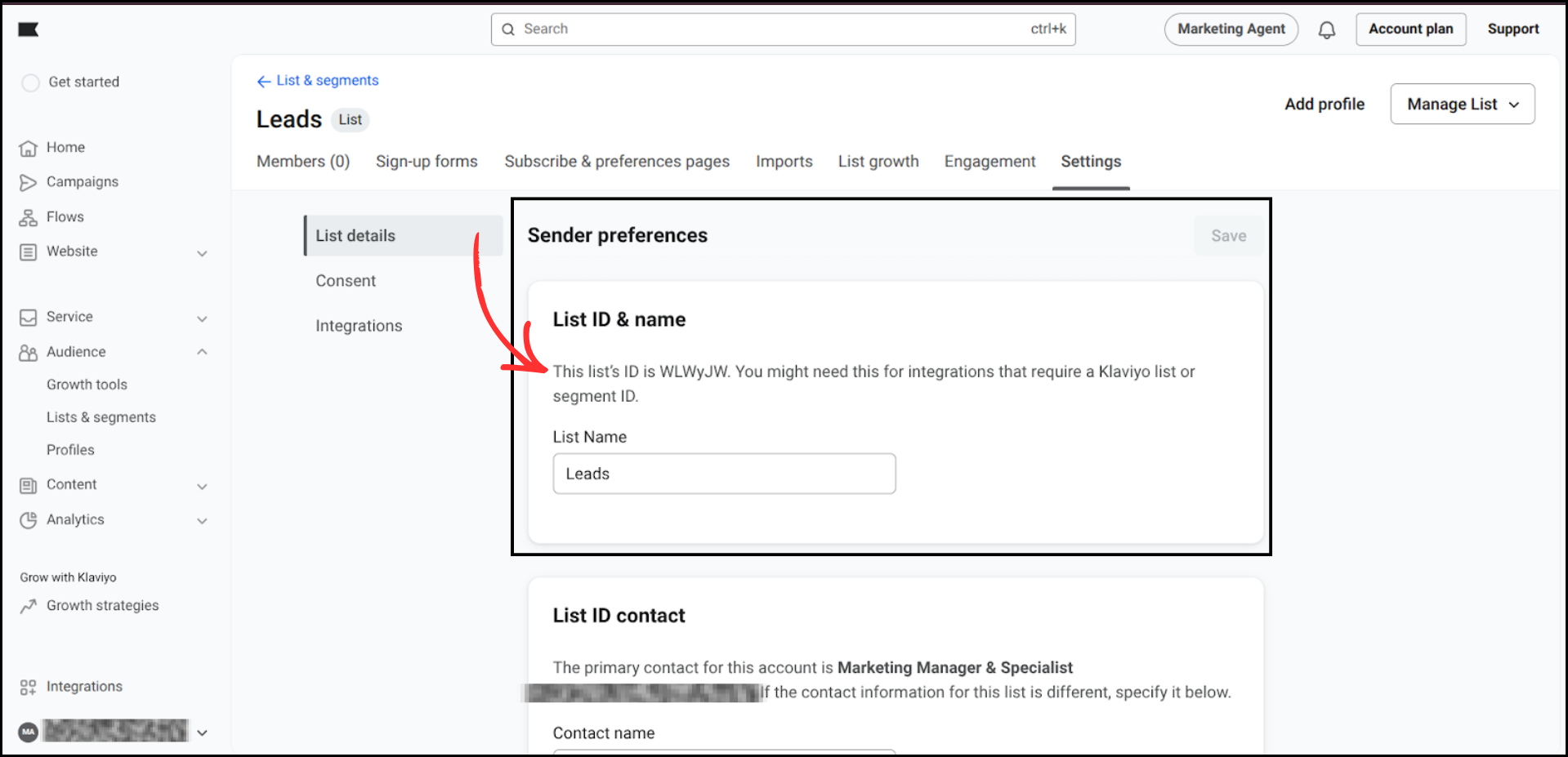
Here, you will see the List ID. Copy the exact list ID, as this will be used inside Group Collector.
Step 3: Connect Klaviyo Inside Group Collector
- Open the Group Collector dashboard.
- Click the Add button for the Autoresponder.
-
Select Klaviyo as your autoresponder.

-
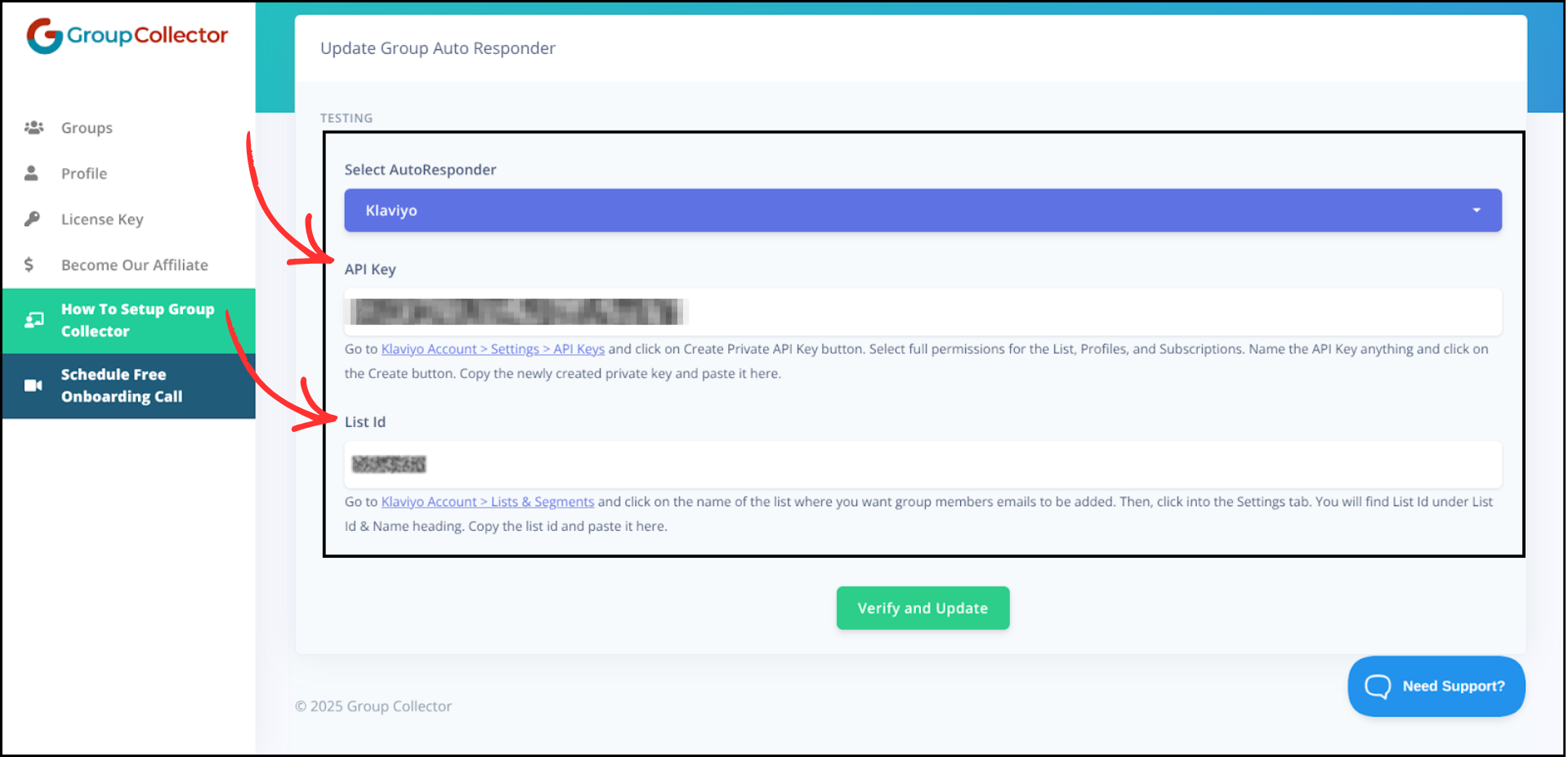
You will be asked to enter your Klaviyo API Key and List Id. Paste your Private API Key and enter the List Id you copied from Klaviyo.
-
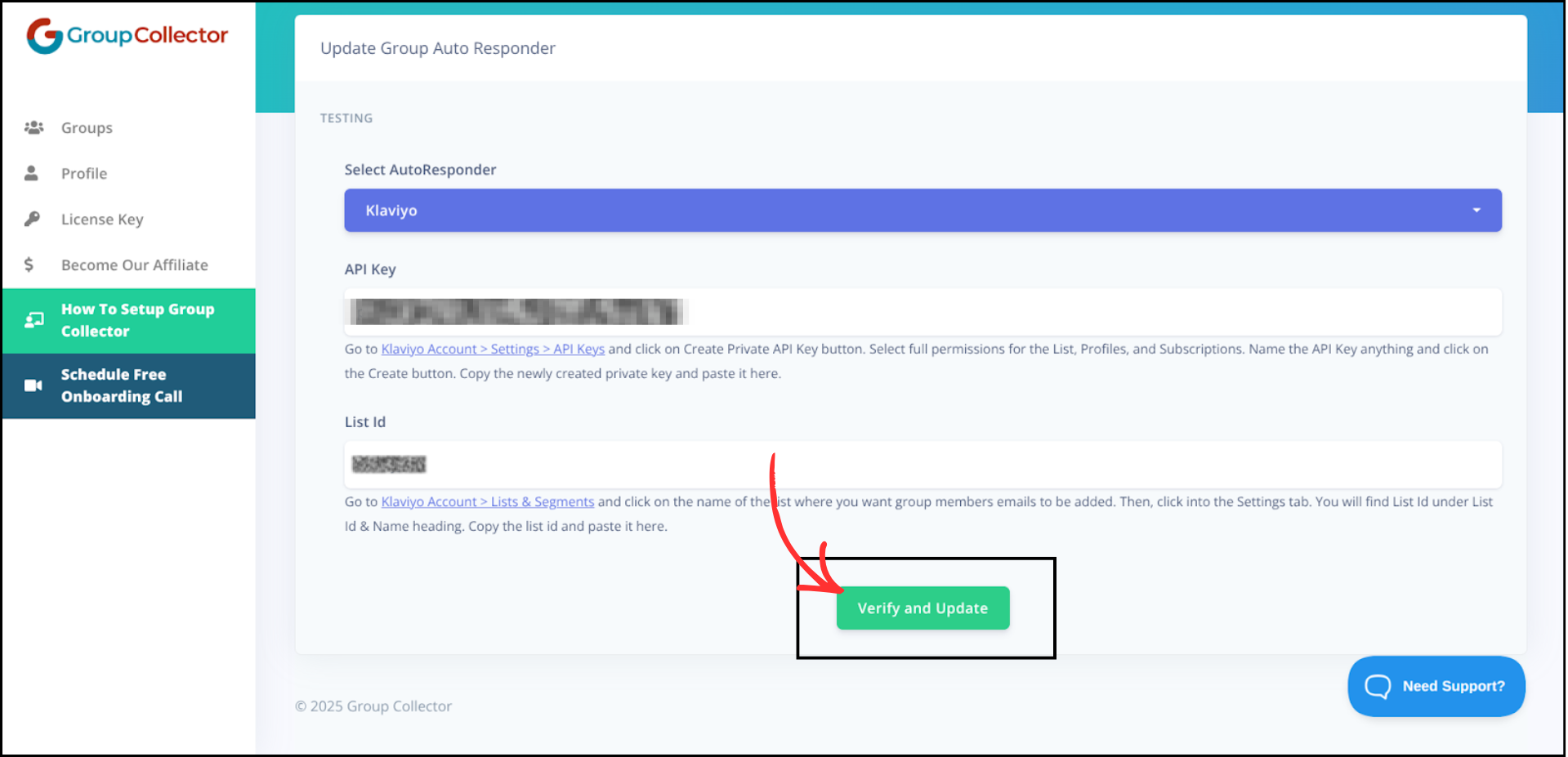
Click Verify and Update. If the details are correct, Group Collector will confirm the integration.

Final Result
Once the integration is complete:
- Approved Facebook group members are automatically added to Klaviyo.
- Leads sync in real time.
- Subscribers are ready for email campaigns and automations.
- No manual CSV imports are required.
Common Mistakes to Avoid
- Using the wrong Private API Key.
- Copying the wrong List ID or misspelling the list ID.
- Not selecting Klaviyo properly in Group Collector.
- Closing the browser before verification completes.
- Skipping a test with a sample member.
Best Practices
- Test the integration with a sample approved member before going live.
- Use separate lists for different Facebook groups.
- Regularly check that the integration is still active.
- Keep your Private API Key secure and do not share it publicly.
- Align your membership questions with your email marketing strategy.